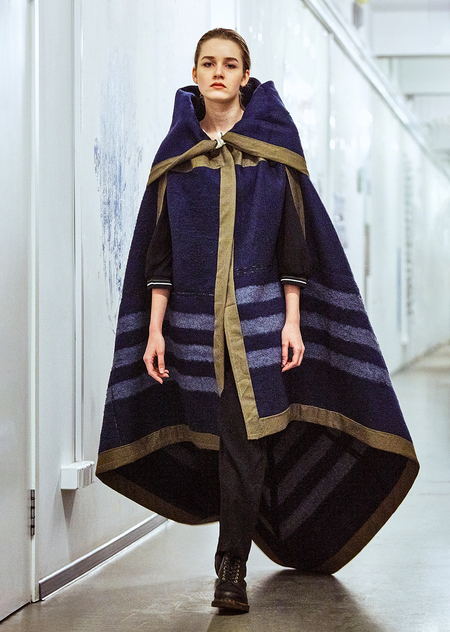
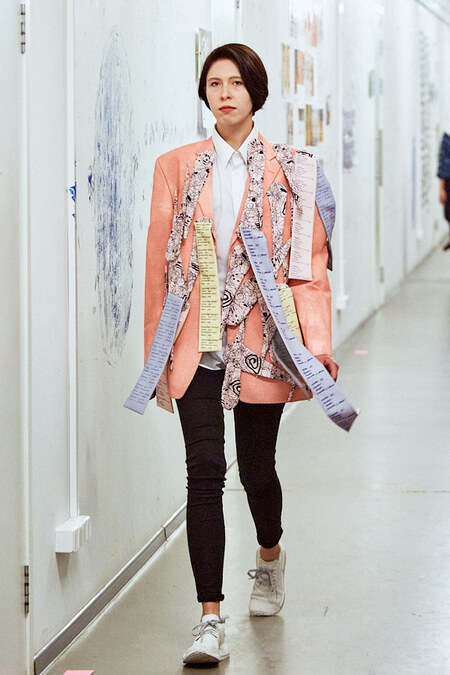
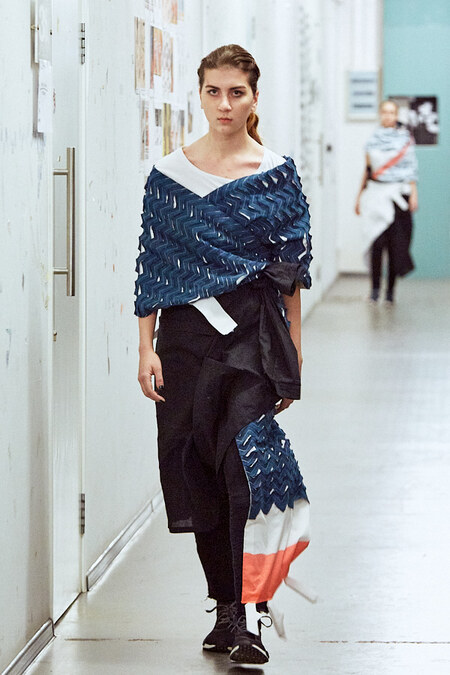
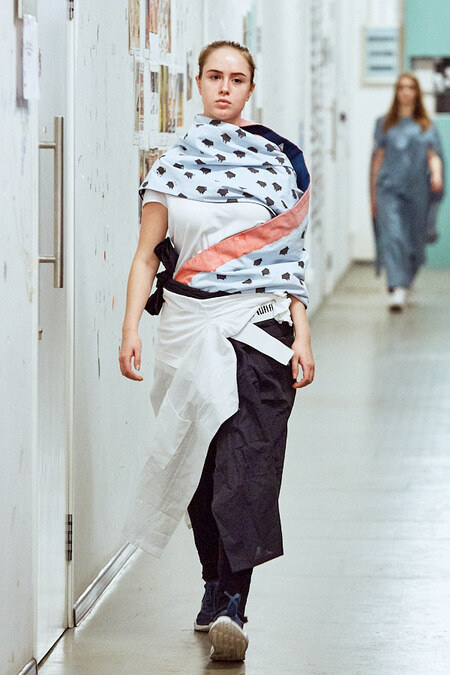
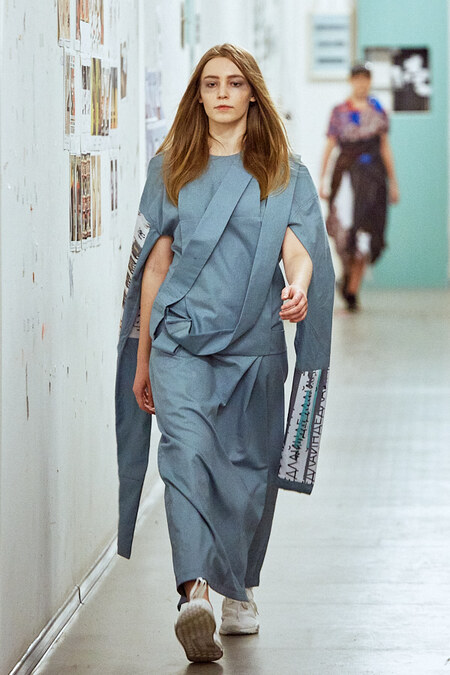
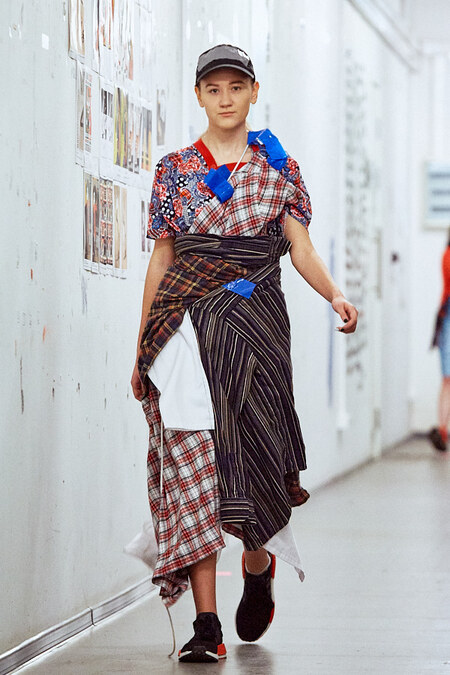
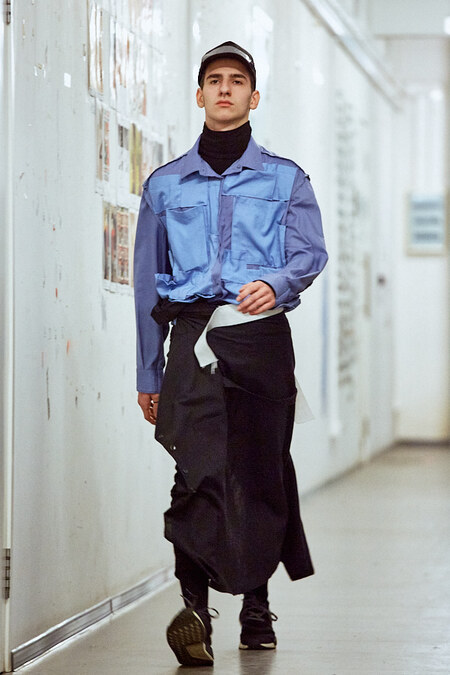
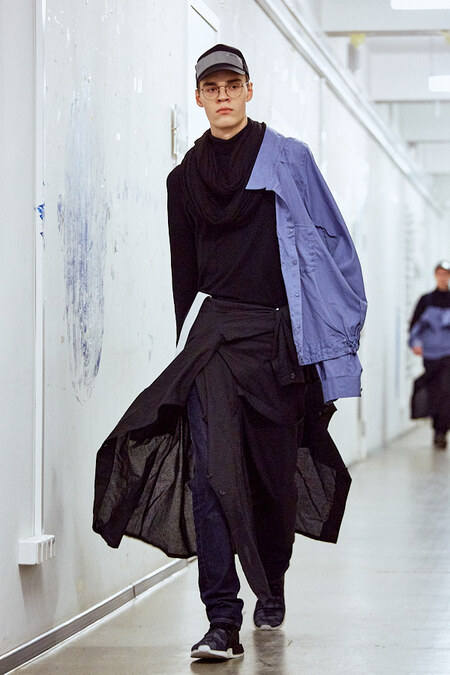
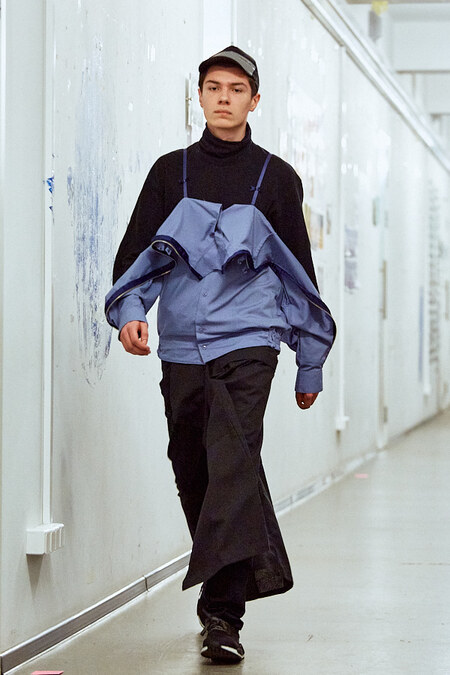
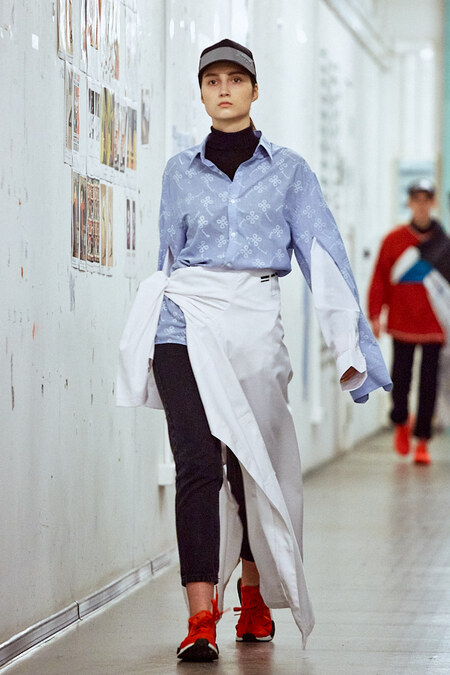
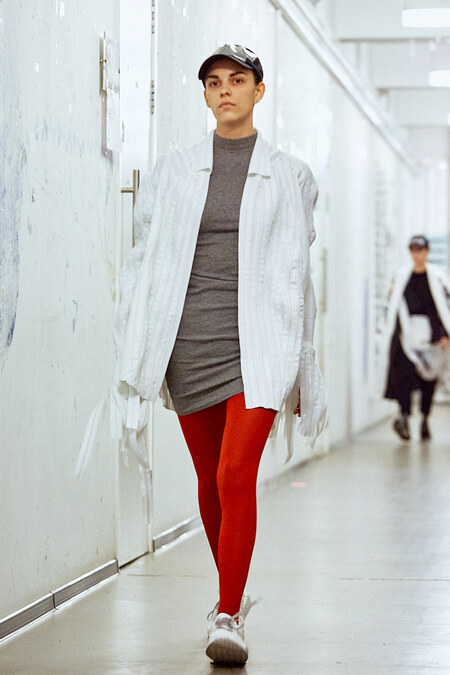
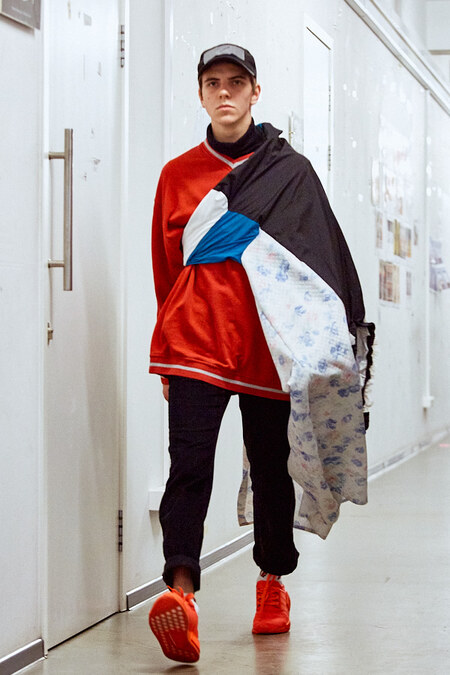
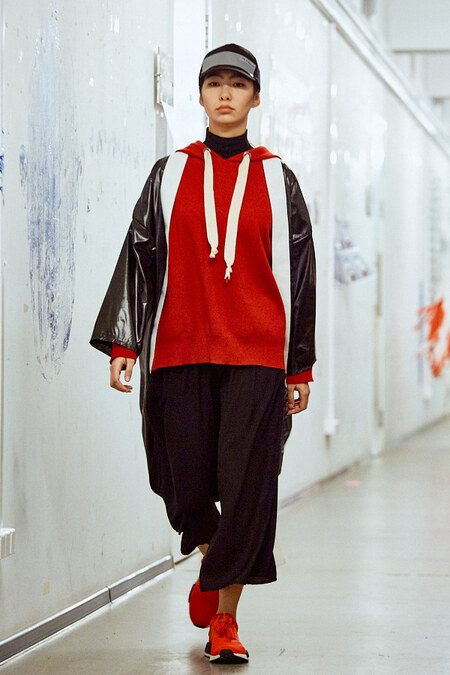
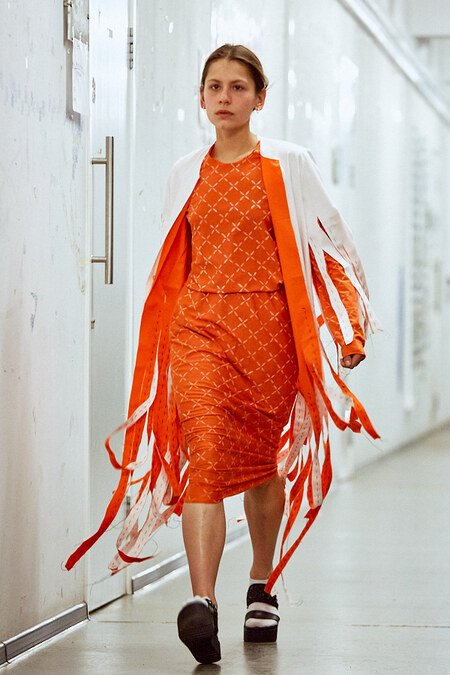
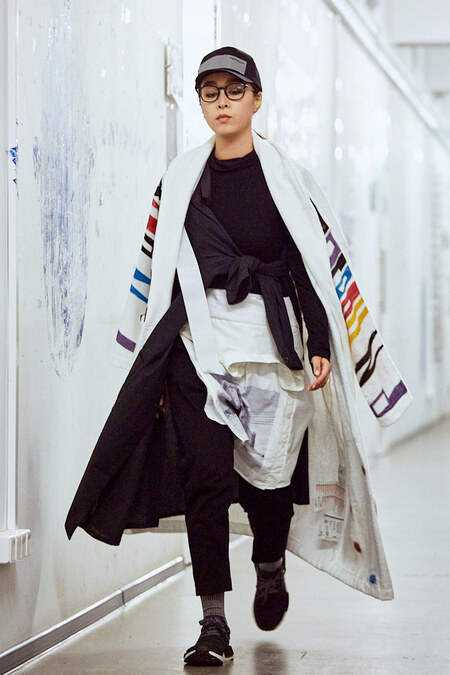
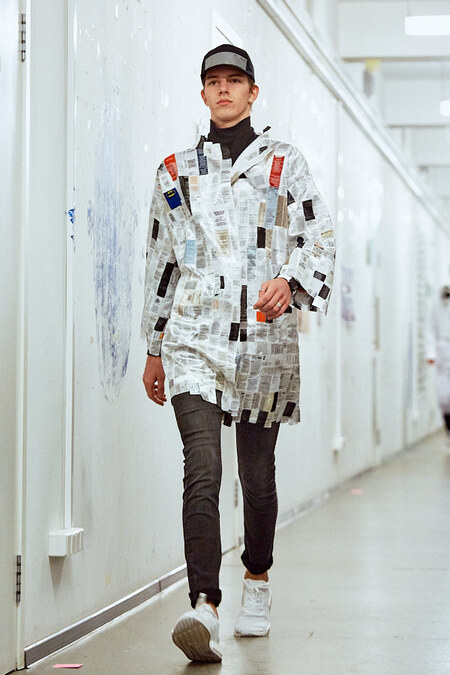
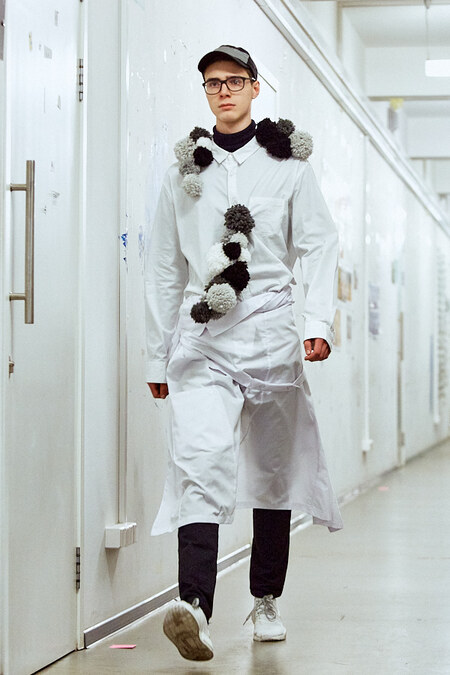
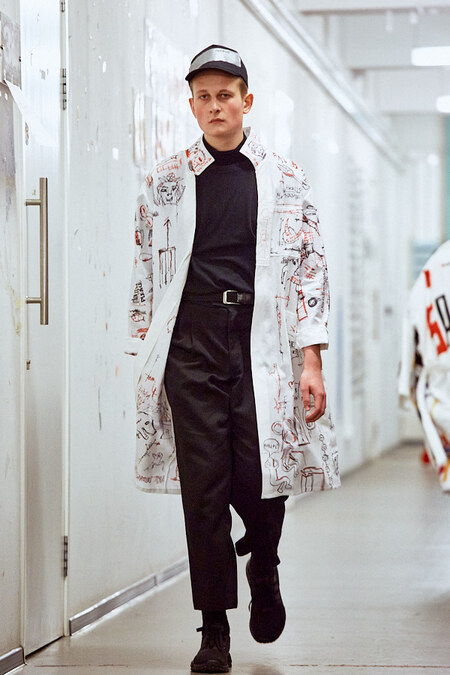
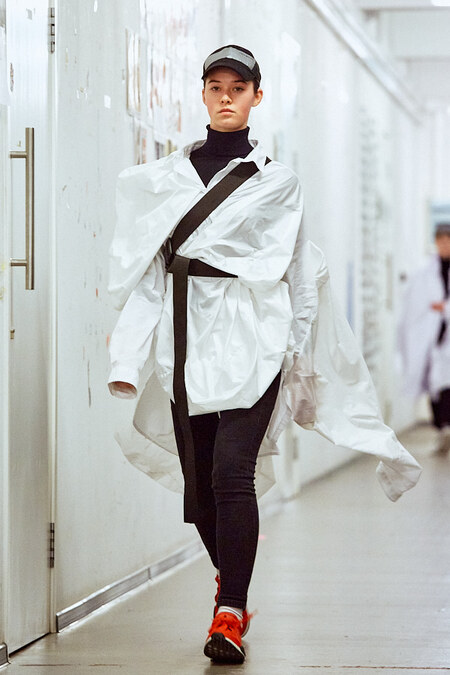
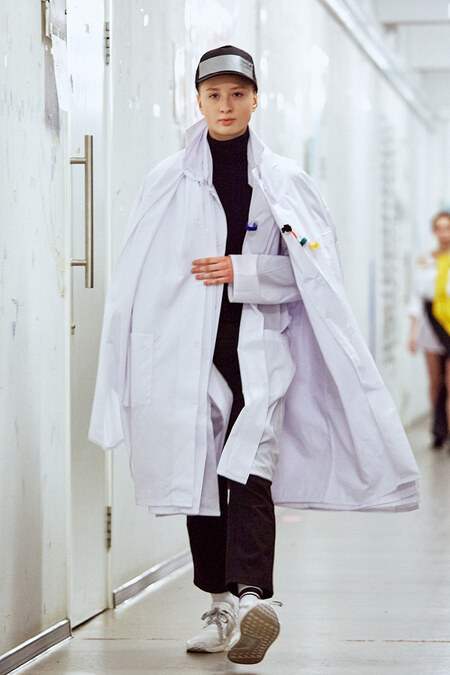
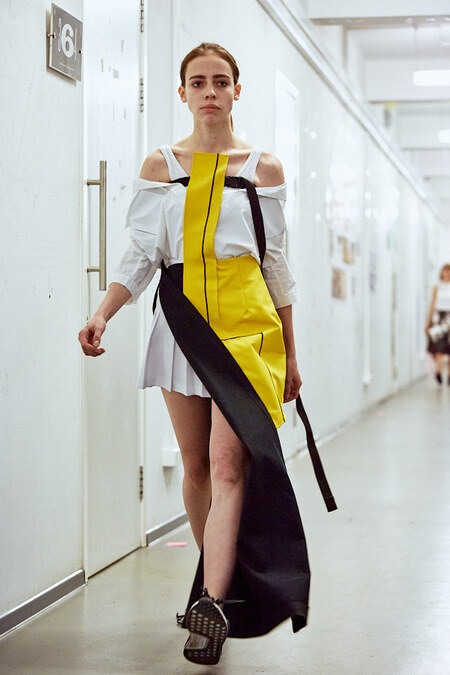
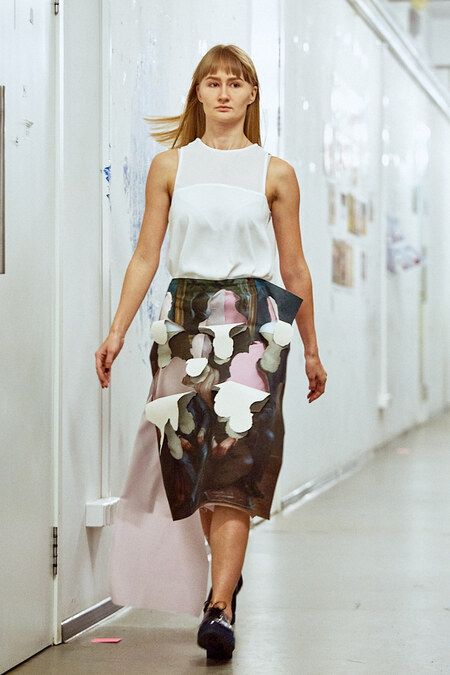
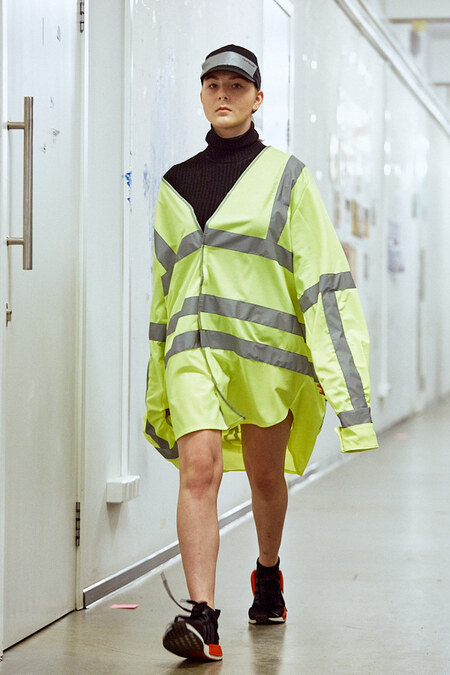
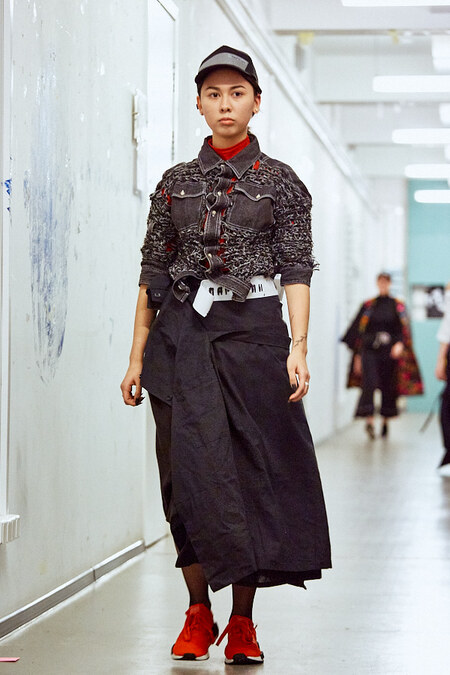
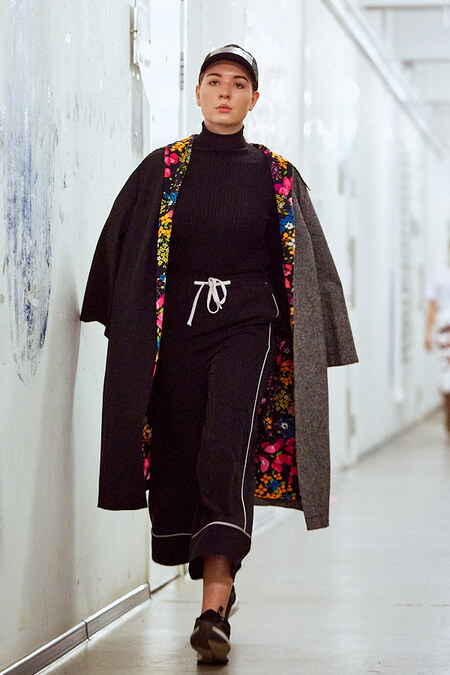
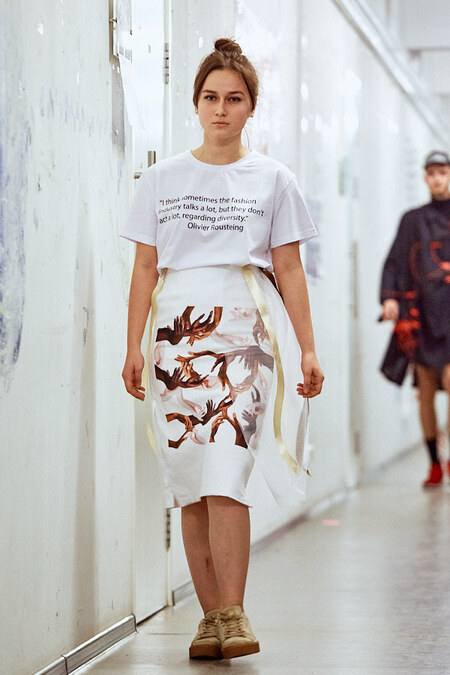
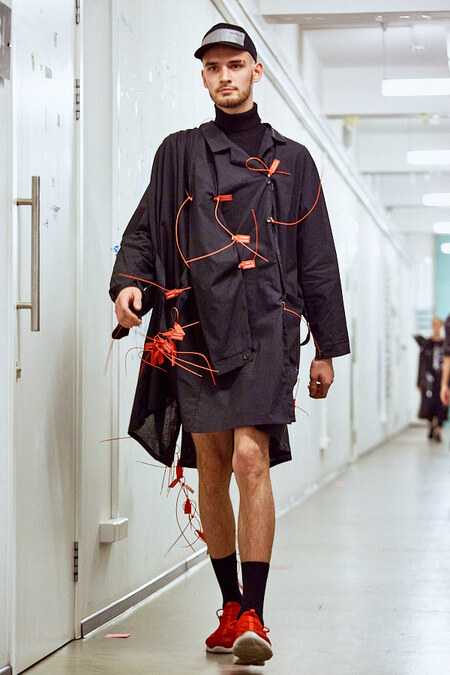
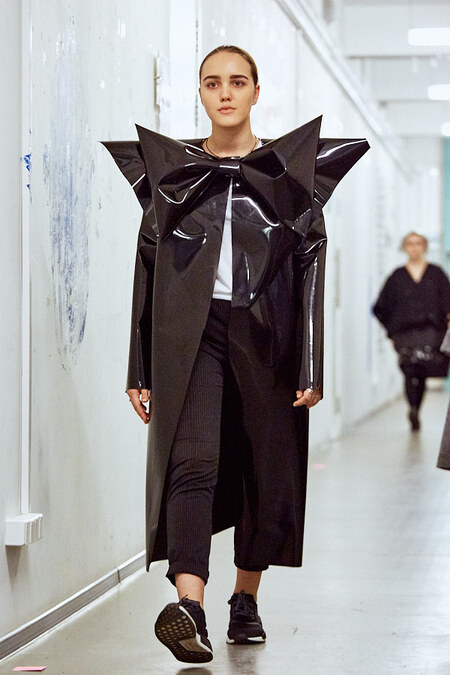
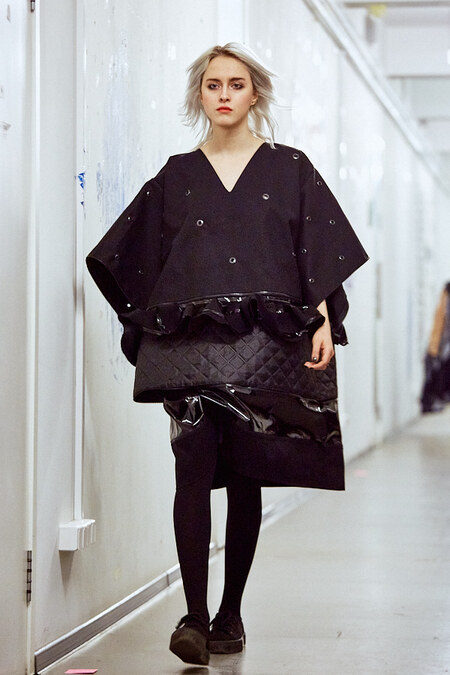
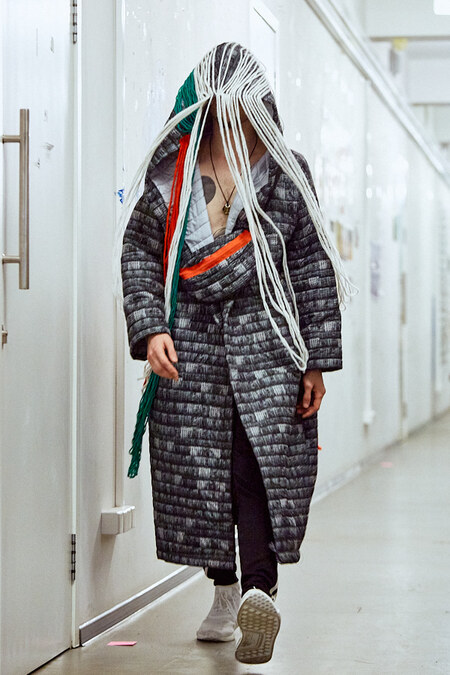
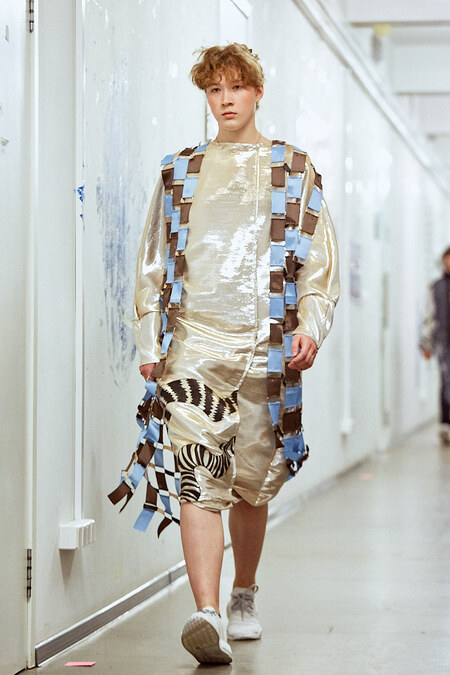
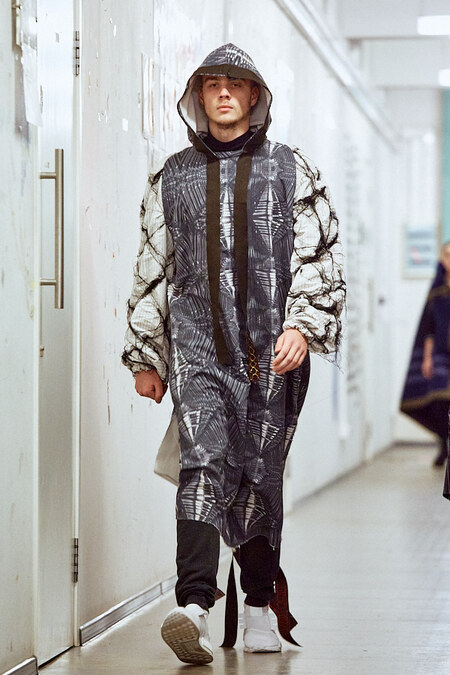
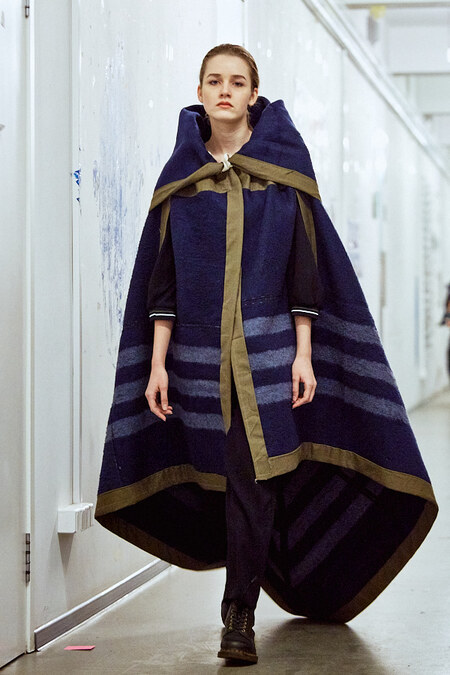
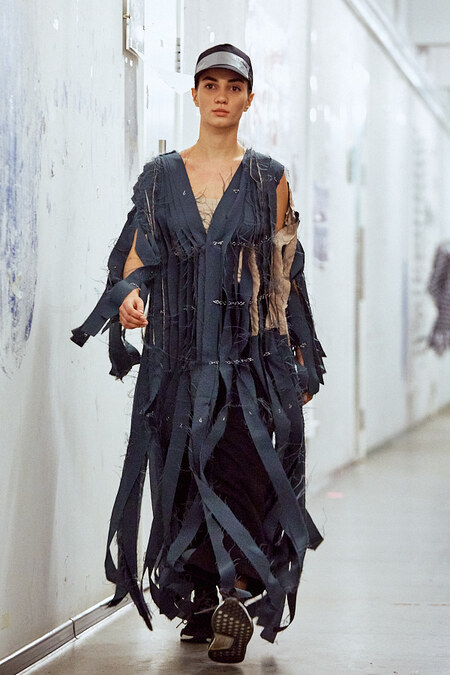
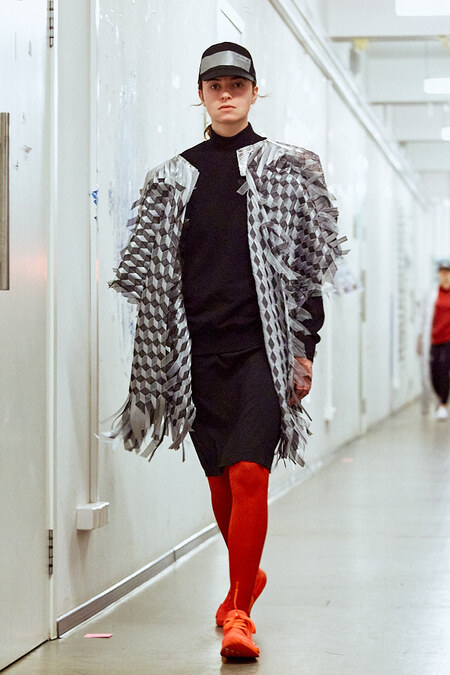
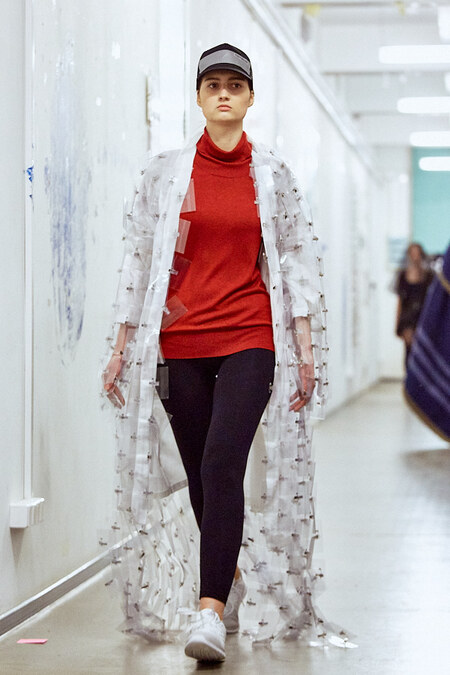
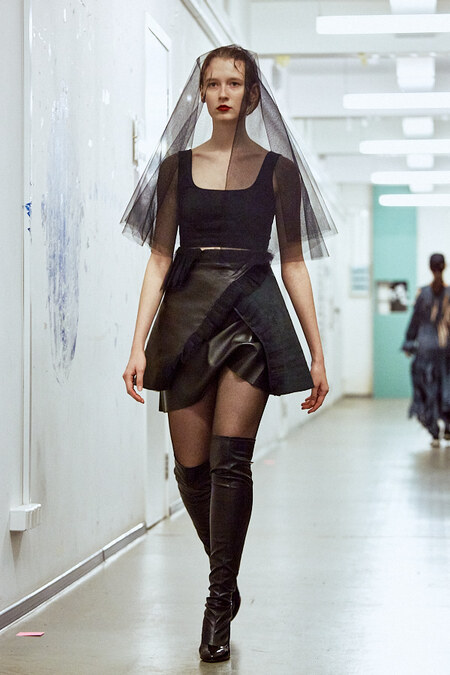
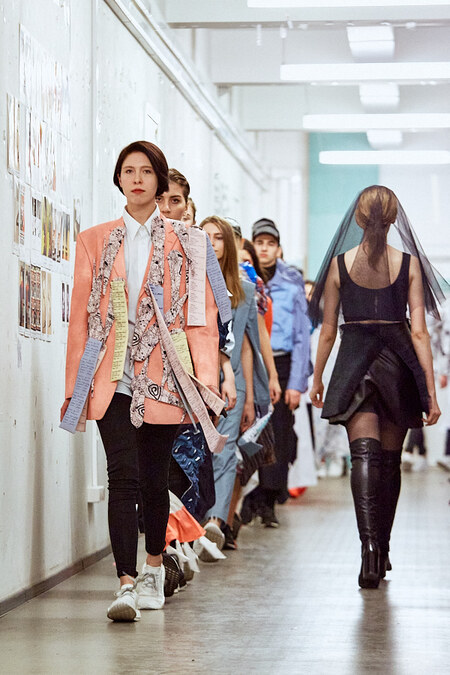
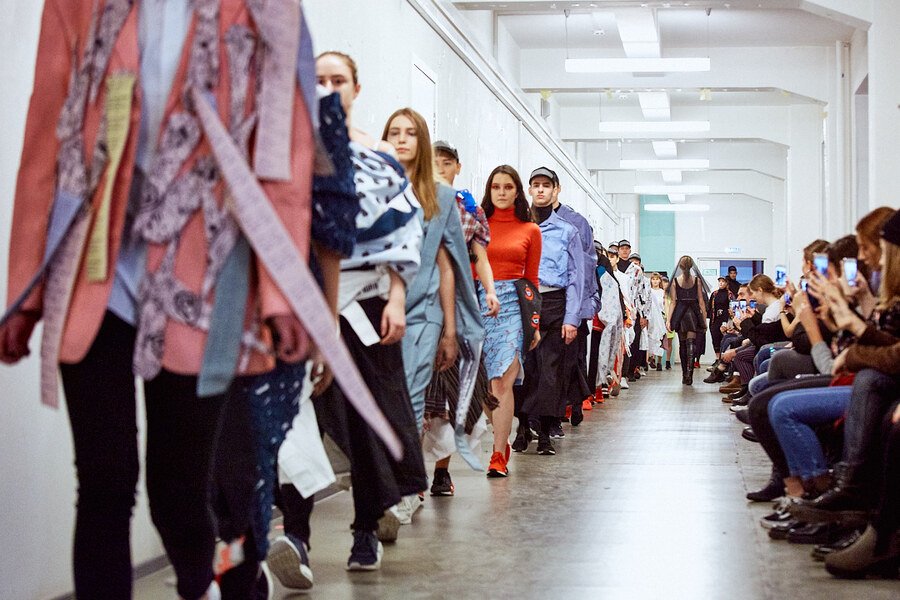
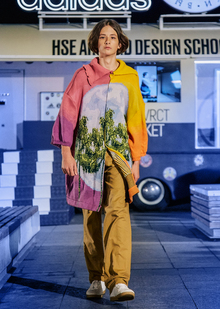
Студенты Школы дизайна НИУ ВШЭ знают, что один из ее ключевых принципов — студент становится дизайнером не когда получает диплом, а с первого дня первого курса. Одно из ярких воплощений этого подхода — показы студентов первого курса профиля «Дизайн одежды», которые традиционно проходят в декабрьский День открытых дверей накануне Нового года.
Студенты показывают свои работы по итогам первого модуля обучения, посвященного освоению принципов концептуального дизайна и работе с источниками. Работы отталкиваются от темы «геолокации» — разработки дизайна на основе изучения природных, социальных и культурных особенностей конкретной локации.
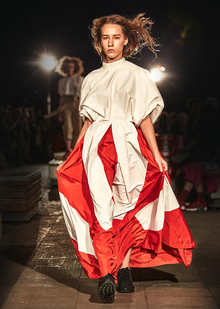
ПЕРВАЯ КОЛЛЕКЦИЯ: показ студентов первого курса Школы дизайна. Декабрь 2017
HSE Fashion представила первую коллекцию студентов первого курса Школы дизайна НИУ ВШЭ в декабре 2017 года. Проект включал показ работ, созданных на основе темы «геолокации» и посвящённых изучению природных, социальных и культурных особенностей локаций.
Студенты Школы дизайна НИУ ВШЭ провели показ моды «HARD 007: знаки и коды» в парке Горького 5 сентября 2019 года. Проект был посвящён субкультурам и личностям, сформировавшим молодёжную культуру последних десятилетий.
HSE Fashion представил показ модной коллекции, вдохновлённой субкультурами, в парке Горького 13 сентября 2018 года. Проект включал исследование молодежных движений, таких как панки, скейтеры, руферы и вичхаус, с акцентом на их стиль и идеологию.
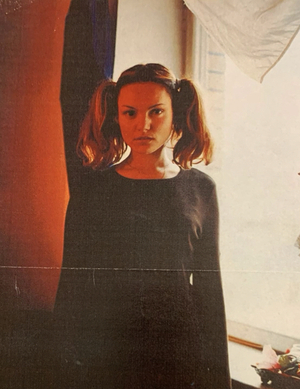
Интервью с Машей Цигаль рассказывает о её творческом пути и влиянии на российскую моду, созданное Hse Fashion Archive. Проект включает в себя уникальные истории о её коллекциях, вдохновении и участии в значимых музыкальных и арт-проектах.
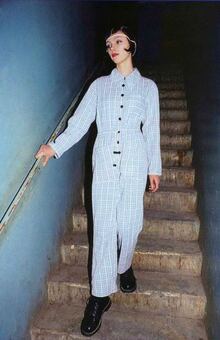
Проект «Архив российской моды» изучил материалы «Коммерсанта» 1990-х годов и выделил ключевые тенденции и события светской жизни того времени. Особенностью проекта является анализ рубрик «La vie de jour» и «La vie de nuit», которые отражали модные и культурные явления эпохи с акцентом на неформальные и авангардные мероприятия.
We use cookies to improve the operation of the website and to enhance its usability. More detailed information on the use of cookies can be fo...
Show more
Press space bar to start a drag.
When dragging you can use the arrow keys to move the item around and escape to cancel.
Some screen readers may require you to be in focus mode or to use your pass through key
Press space bar to start a drag.
When dragging you can use the arrow keys to move the item around and escape to cancel.
Some screen readers may require you to be in focus mode or to use your pass through key
Press space bar to start a drag.
When dragging you can use the arrow keys to move the item around and escape to cancel.
Some screen readers may require you to be in focus mode or to use your pass through key
Press space bar to start a drag.
When dragging you can use the arrow keys to move the item around and escape to cancel.
Some screen readers may require you to be in focus mode or to use your pass through key
Press space bar to start a drag.
When dragging you can use the arrow keys to move the item around and escape to cancel.
Some screen readers may require you to be in focus mode or to use your pass through key
Press space bar to start a drag.
When dragging you can use the arrow keys to move the item around and escape to cancel.
Some screen readers may require you to be in focus mode or to use your pass through key
Press space bar to start a drag.
When dragging you can use the arrow keys to move the item around and escape to cancel.
Some screen readers may require you to be in focus mode or to use your pass through key
Press space bar to start a drag.
When dragging you can use the arrow keys to move the item around and escape to cancel.
Some screen readers may require you to be in focus mode or to use your pass through key
Press space bar to start a drag.
When dragging you can use the arrow keys to move the item around and escape to cancel.
Some screen readers may require you to be in focus mode or to use your pass through key
Press space bar to start a drag.
When dragging you can use the arrow keys to move the item around and escape to cancel.
Some screen readers may require you to be in focus mode or to use your pass through key
Press space bar to start a drag.
When dragging you can use the arrow keys to move the item around and escape to cancel.
Some screen readers may require you to be in focus mode or to use your pass through key
Press space bar to start a drag.
When dragging you can use the arrow keys to move the item around and escape to cancel.
Some screen readers may require you to be in focus mode or to use your pass through key
Press space bar to start a drag.
When dragging you can use the arrow keys to move the item around and escape to cancel.
Some screen readers may require you to be in focus mode or to use your pass through key
Press space bar to start a drag.
When dragging you can use the arrow keys to move the item around and escape to cancel.
Some screen readers may require you to be in focus mode or to use your pass through key
Press space bar to start a drag.
When dragging you can use the arrow keys to move the item around and escape to cancel.
Some screen readers may require you to be in focus mode or to use your pass through key
Press space bar to start a drag.
When dragging you can use the arrow keys to move the item around and escape to cancel.
Some screen readers may require you to be in focus mode or to use your pass through key
Press space bar to start a drag.
When dragging you can use the arrow keys to move the item around and escape to cancel.
Some screen readers may require you to be in focus mode or to use your pass through key
Press space bar to start a drag.
When dragging you can use the arrow keys to move the item around and escape to cancel.
Some screen readers may require you to be in focus mode or to use your pass through key
Press space bar to start a drag.
When dragging you can use the arrow keys to move the item around and escape to cancel.
Some screen readers may require you to be in focus mode or to use your pass through key