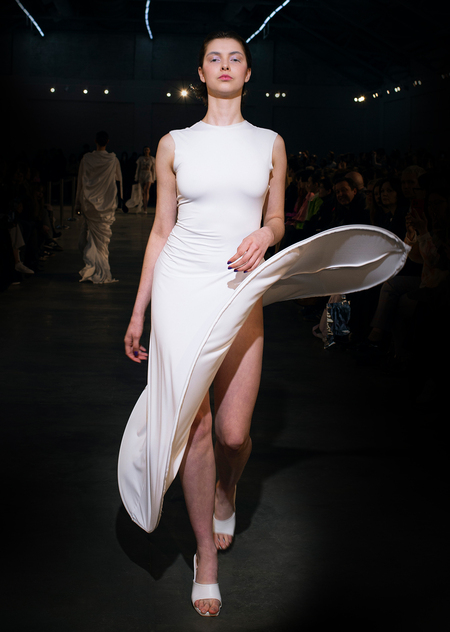
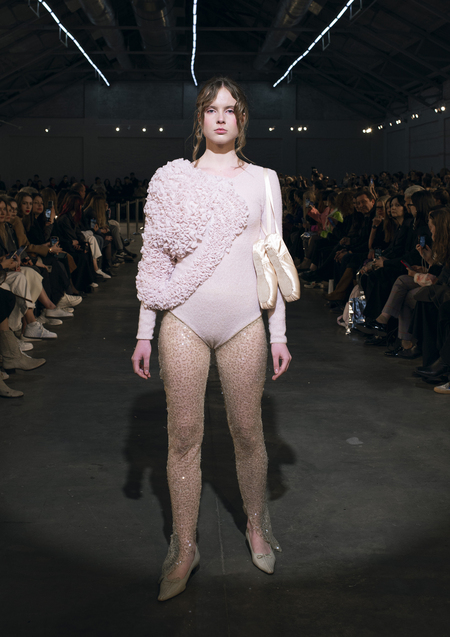
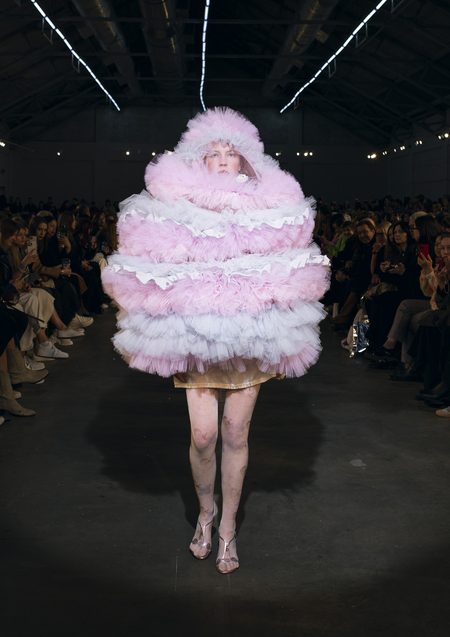
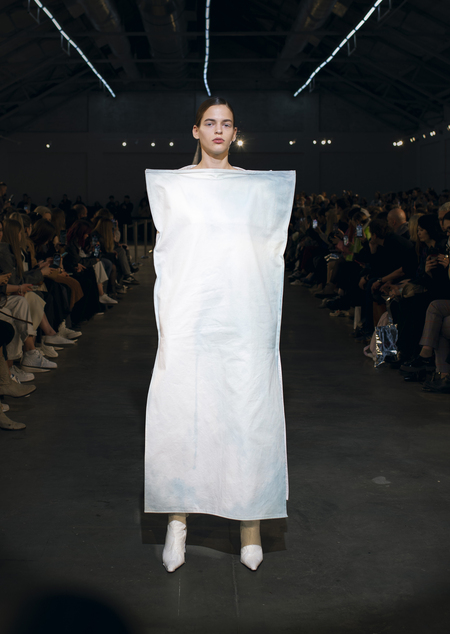
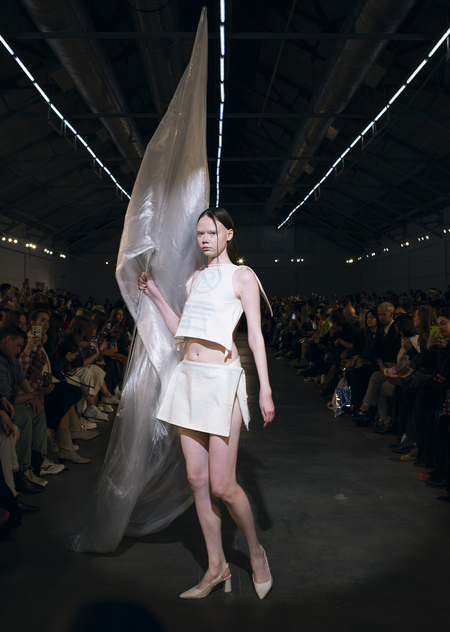
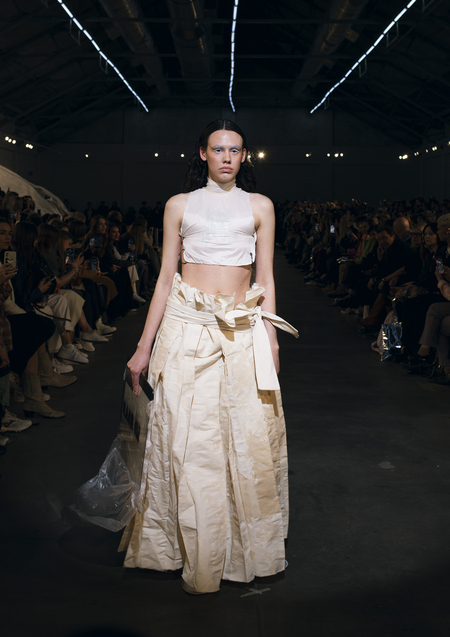
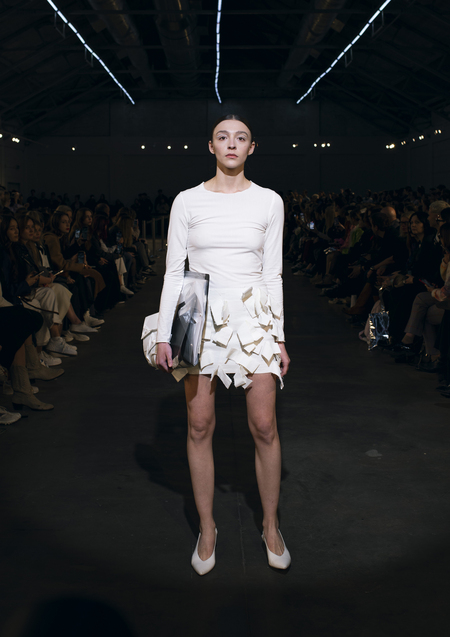
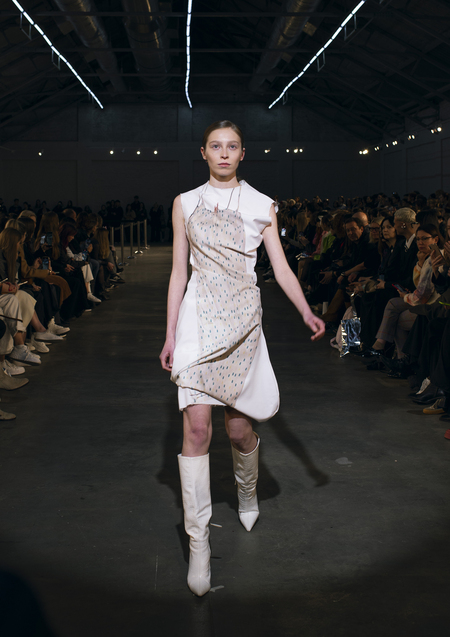
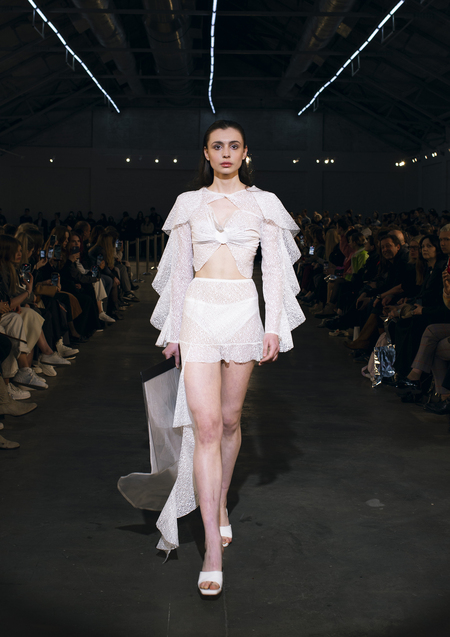
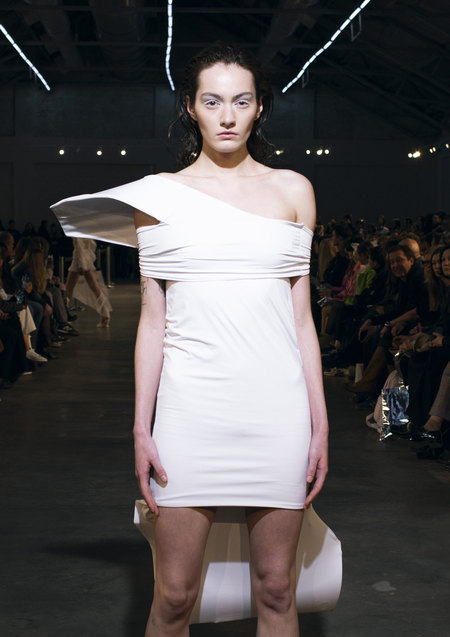
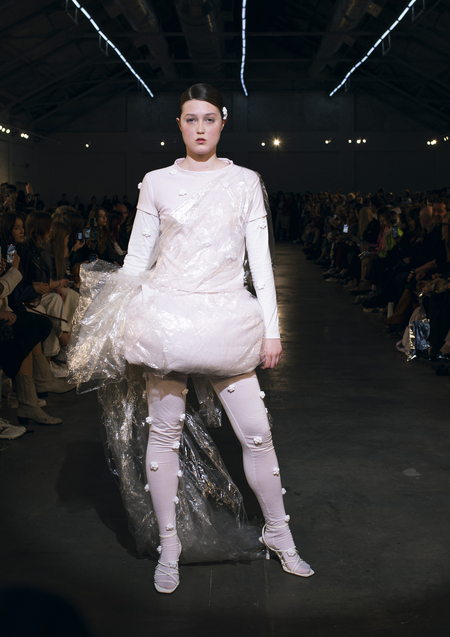
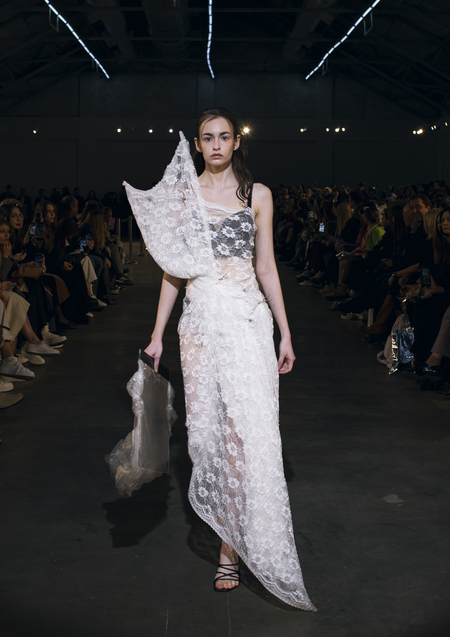
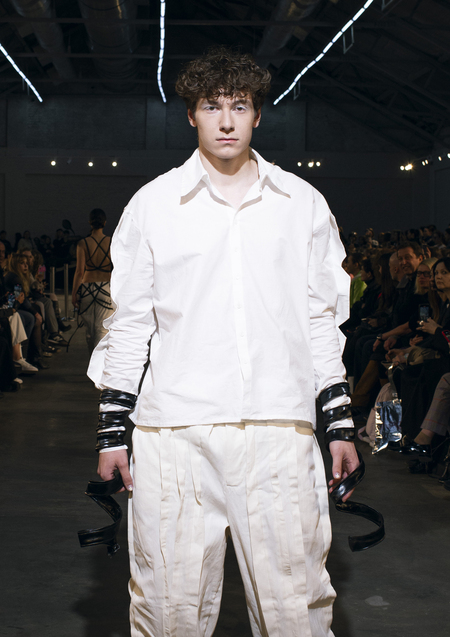
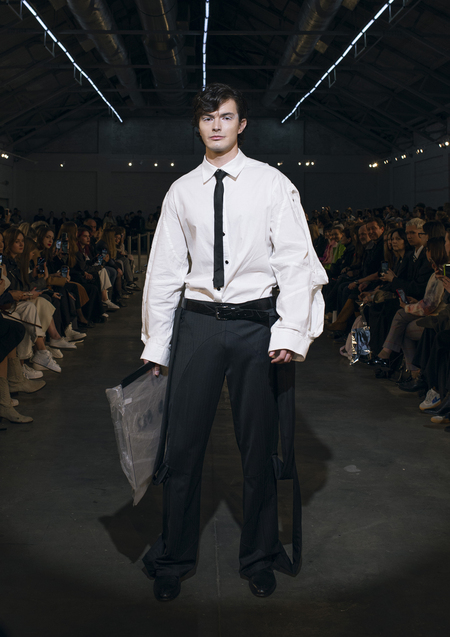
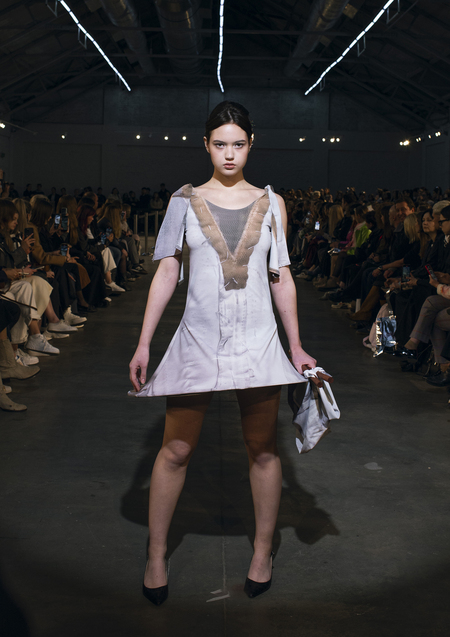
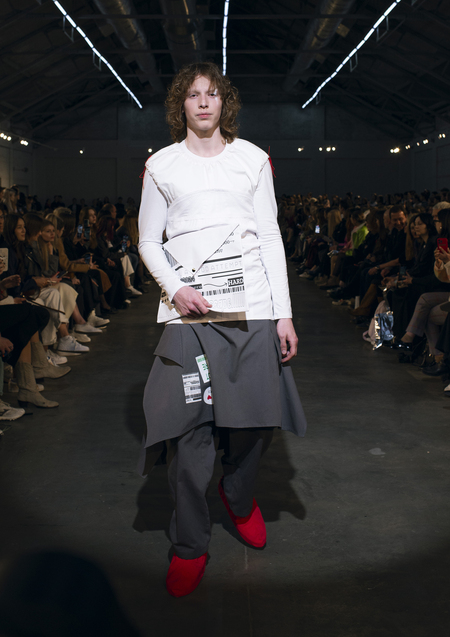
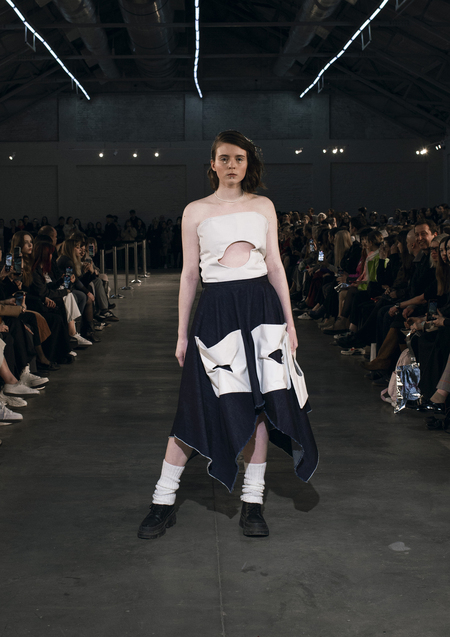
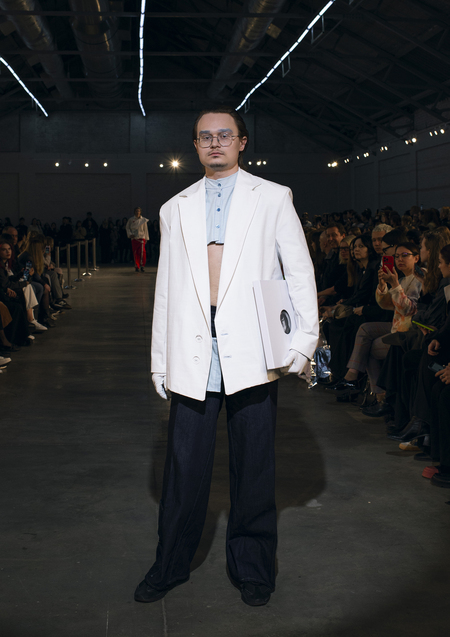
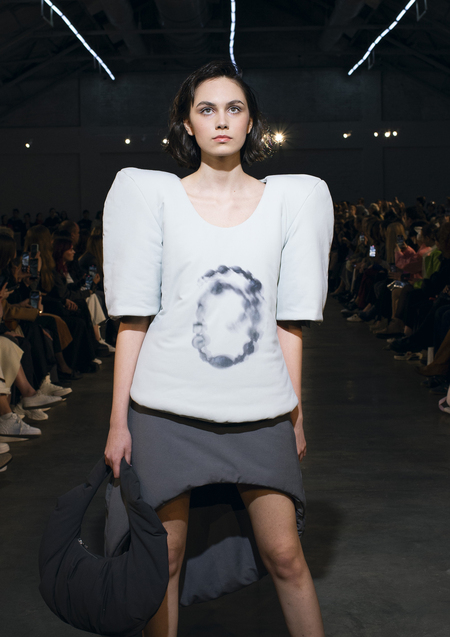
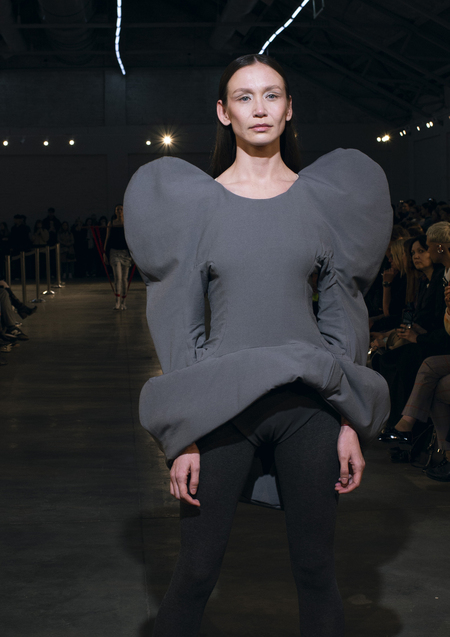
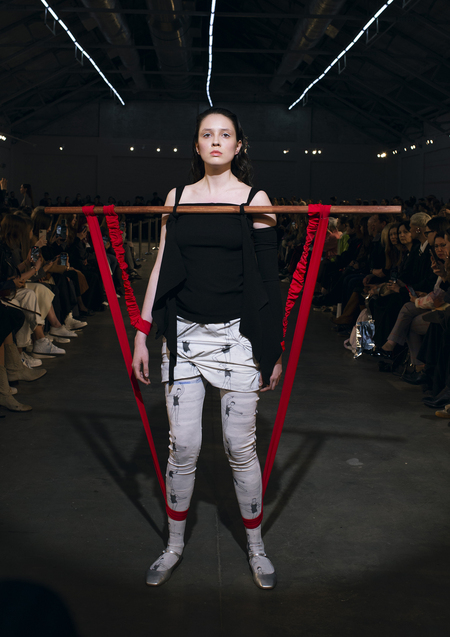
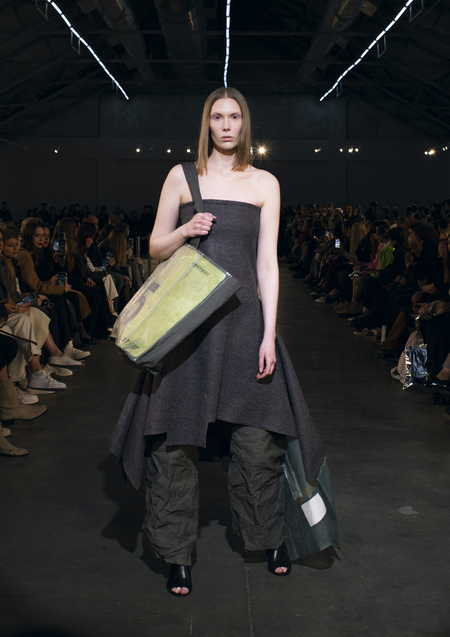
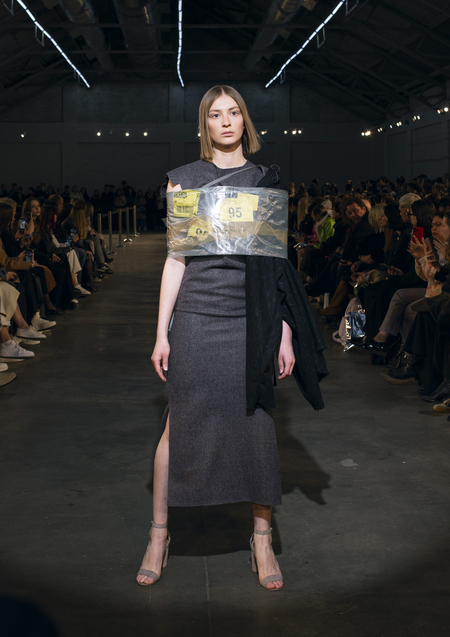
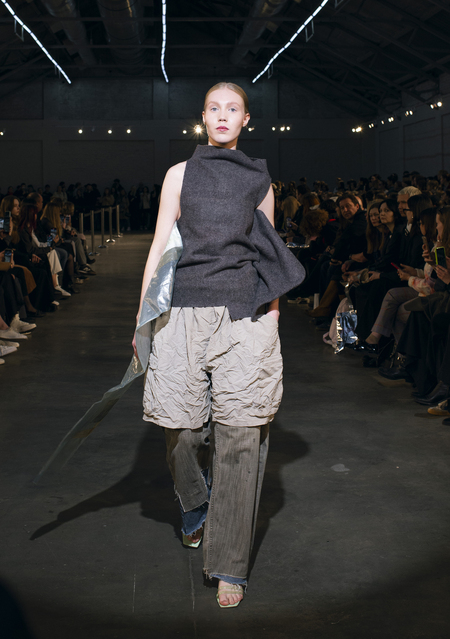
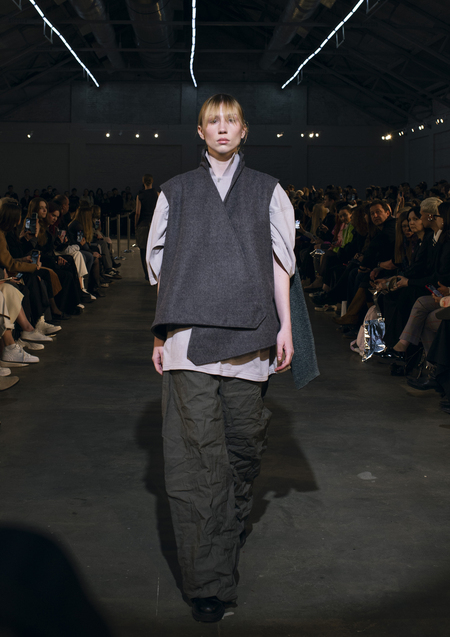
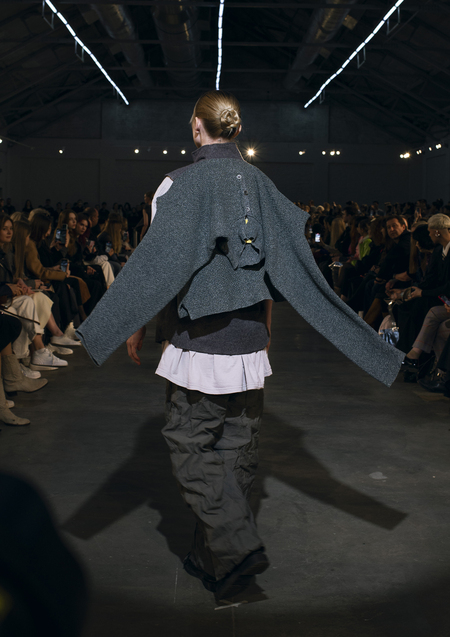
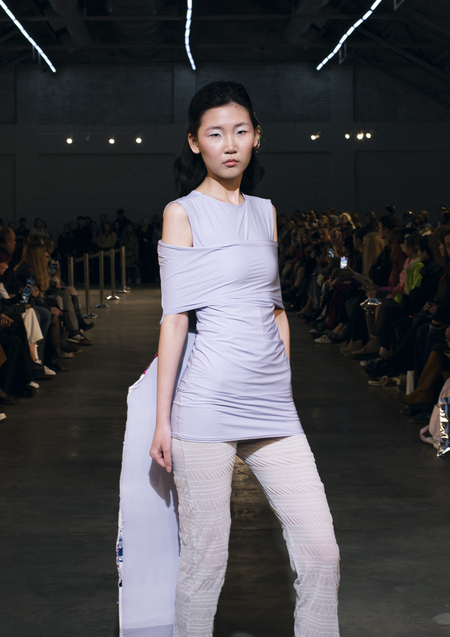
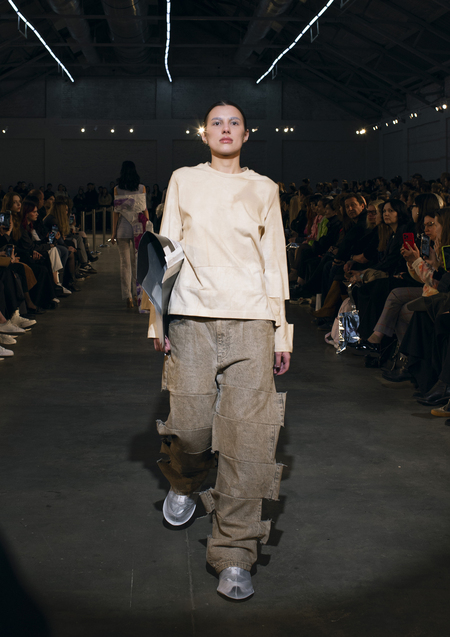
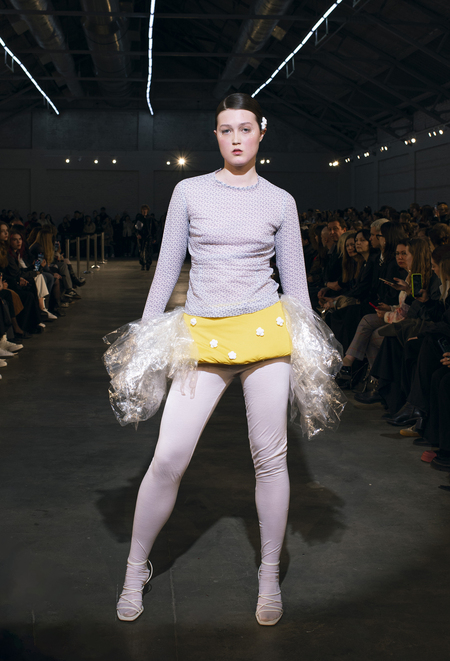
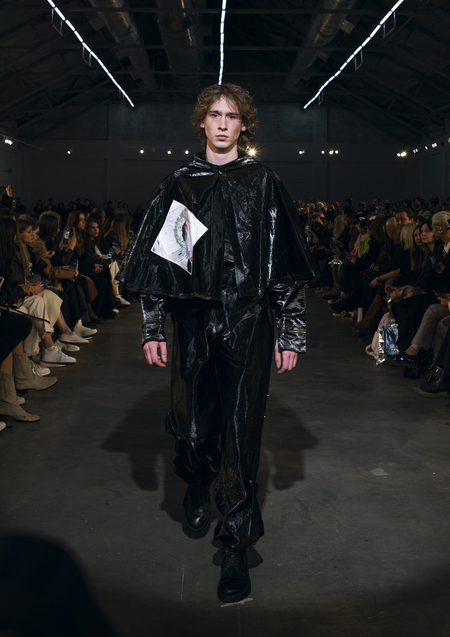
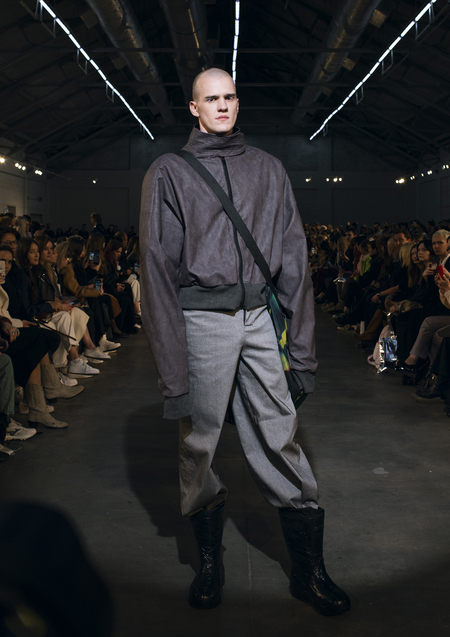
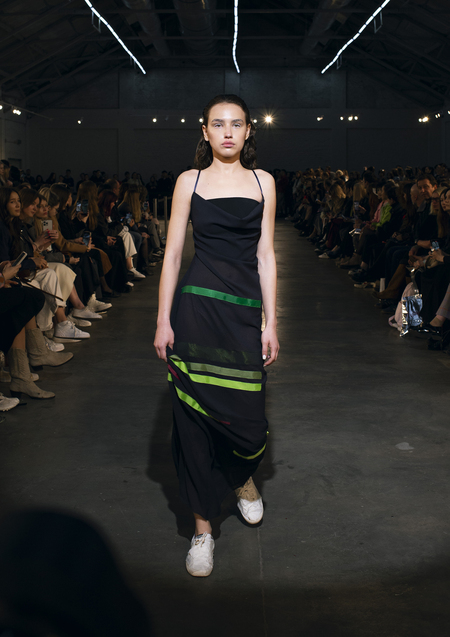
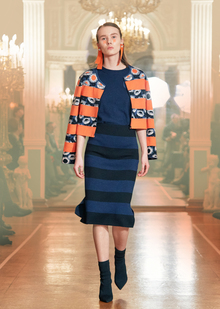
HARD BY HSE ART AND DESIGN SCHOOL — совместный бренд студентов направления «Мода» Школы дизайна НИУ ВШЭ. HARD работает как творческая лаборатория, которая каждый год формируется заново для создания новой коллекции.
Исследуя культурные контексты и экспериментируя с формами и кроем, молодые дизайнеры говорят о том, что их вдохновляет и волнует, показывают свое видение актуальной моды. Итогом является показ, который делают участники лаборатории. Показы HARD BY HSE ART AND DESIGN SCHOOL проходят в рамках недель моды, на фестивалях и городских площадках.
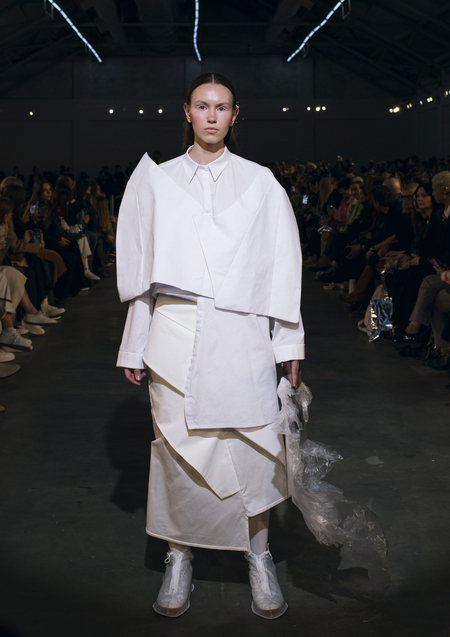
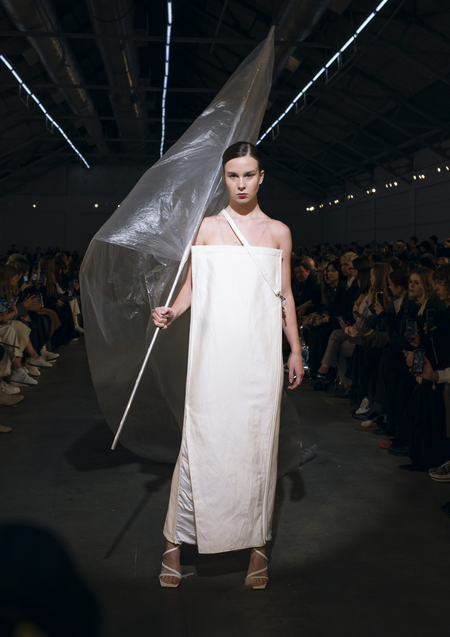
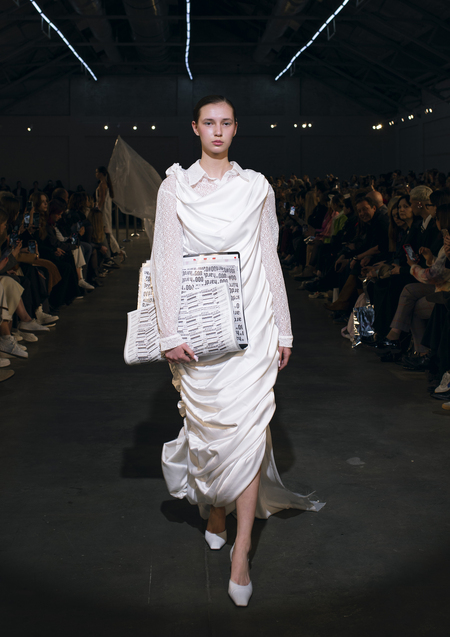
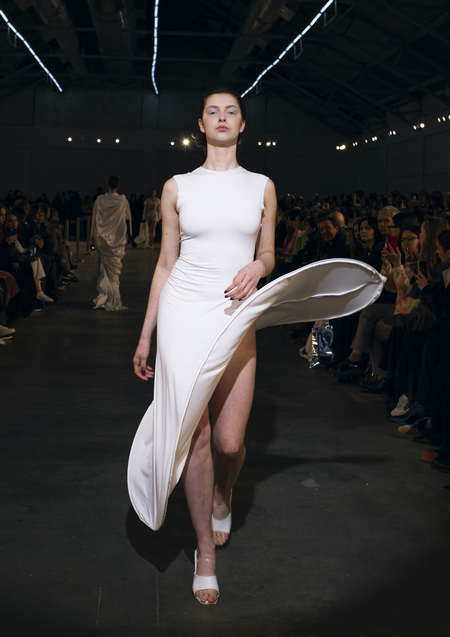
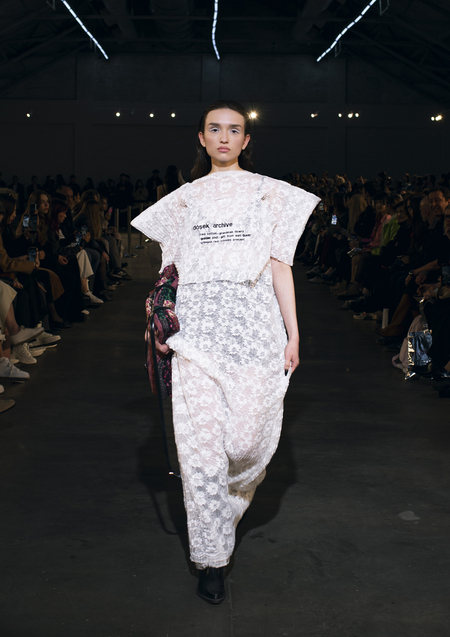
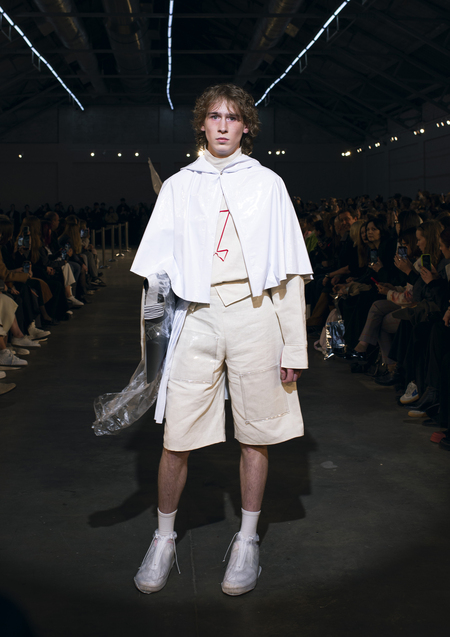
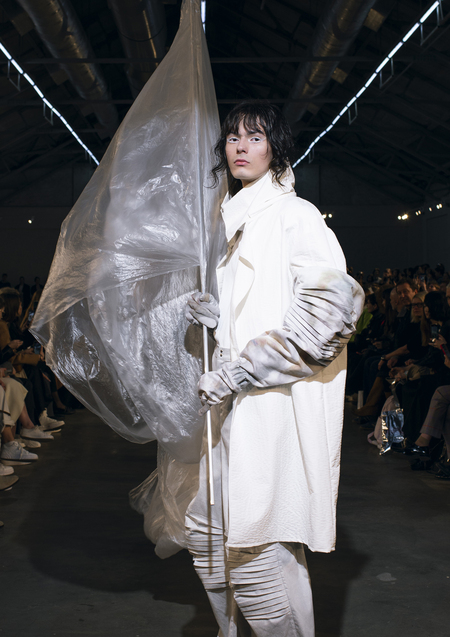
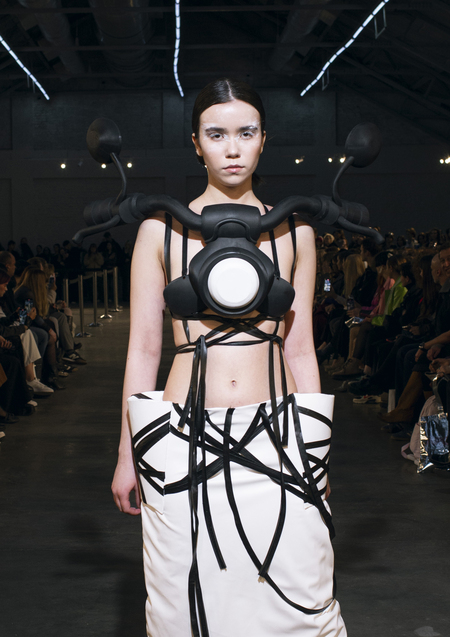
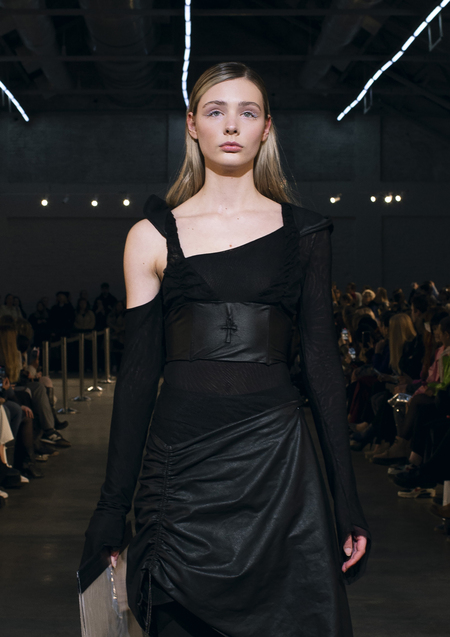
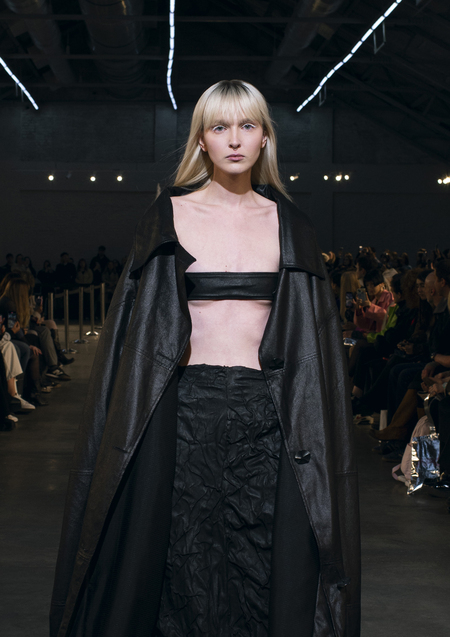
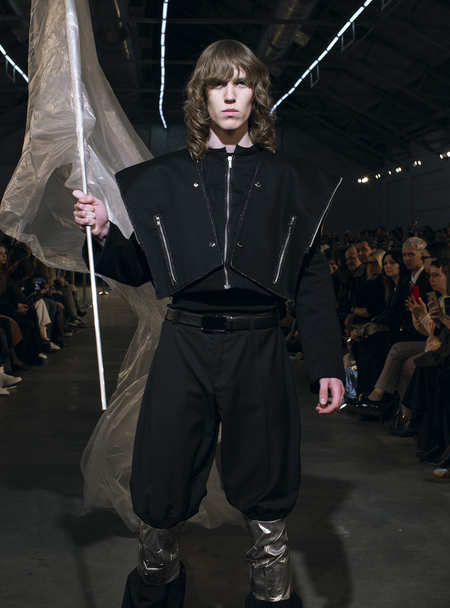
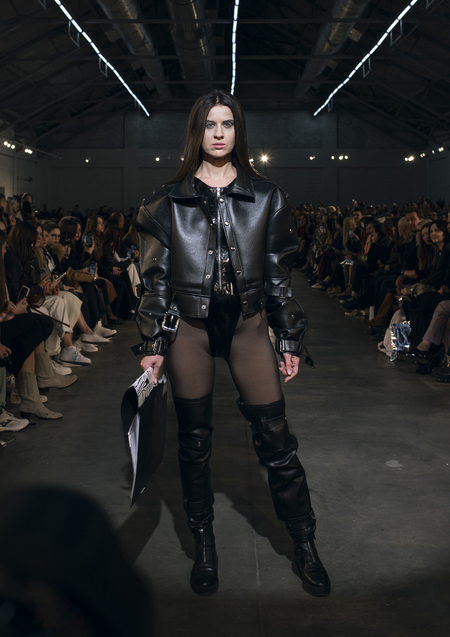
Коллекция 2024 года HARD 012. Сохрани мою вещь навсегда посвящена теме памяти и архива. Что такое память, почему что-то остается в ней навсегда, а что-то навсегда уходит, почему какие-то воспоминания так ценны для нас? Размышляя на эти темы, молодые дизайнеры построили свои коллекции на идее того, что из текущего момента они видят достойным сохранений и архивирования, что бы они заложили в «капсулу времени», адресованную будущим исследователям.
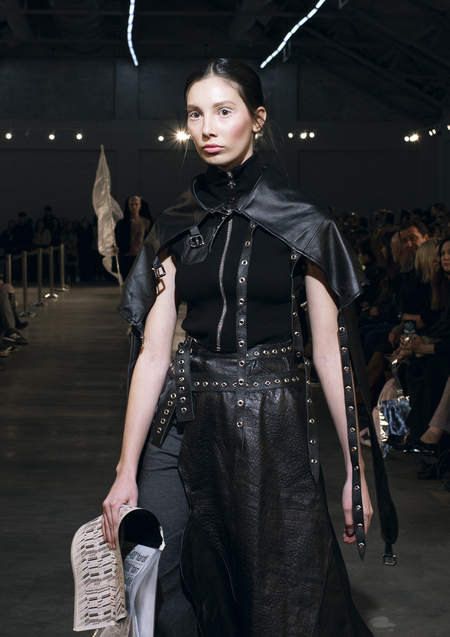
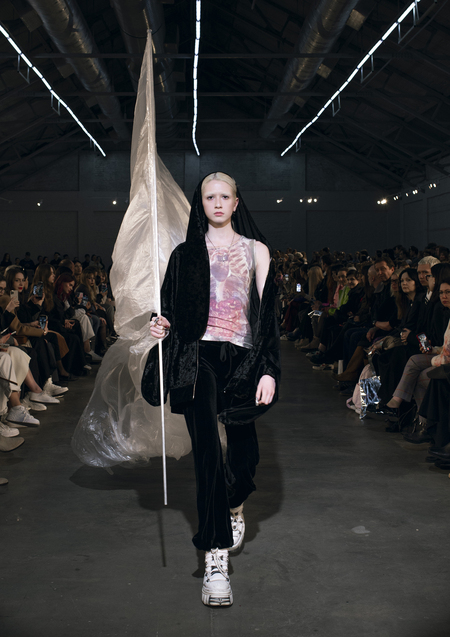
HARD 012. Сохрани мою вещь навсегда. Показ на Винзаводе. 24.04.2024
HSE Fashion представила показ коллекции HARD 012. Сохрани мою вещь навсегда на Винзаводе 24 апреля 2024 года. Коллекция исследует тему памяти и архива, предлагая сохранить в «капсулу времени» элементы, которые дизайнеры считают достойными будущего исследования.
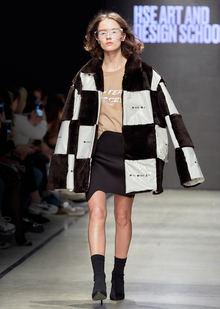
HSE Fashion представила коллекцию HARD 006: Outer Spaces на Mercedes-Benz Fashion Week Russia 3 апреля 2019 года. Проект включает в себя коллекцию, вдохновлённую космосом и расширенной реальностью, созданную студентами Школы дизайна НИУ ВШЭ.
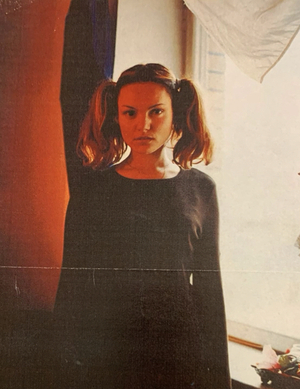
Интервью с Машей Цигаль рассказывает о её творческом пути и влиянии на российскую моду, созданное Hse Fashion Archive. Проект включает в себя уникальные истории о её коллекциях, вдохновении и участии в значимых музыкальных и арт-проектах.
Студенты Школы дизайна НИУ ВШЭ провели показ скандинавских дизайнеров в посольстве Норвегии 15 апреля 2019 года. Показ прошёл в рамках конференции «Мода северных стран: между локальным и глобальным».
Hse Fashion Archive подготовил обзор рубрики «[LAB]Талант» журнала Jalouse, посвящённой молодым творческим личностям из мира моды и искусства. Проект включал интервью с российскими и зарубежными дизайнерами, музыкантами и другими представителями индустрии, раскрывая их творческие пути и взгляды на будущее.
We use cookies to improve the operation of the website and to enhance its usability. More detailed information on the use of cookies can be fo...
Show more
Press space bar to start a drag.
When dragging you can use the arrow keys to move the item around and escape to cancel.
Some screen readers may require you to be in focus mode or to use your pass through key
Press space bar to start a drag.
When dragging you can use the arrow keys to move the item around and escape to cancel.
Some screen readers may require you to be in focus mode or to use your pass through key
Press space bar to start a drag.
When dragging you can use the arrow keys to move the item around and escape to cancel.
Some screen readers may require you to be in focus mode or to use your pass through key
Press space bar to start a drag.
When dragging you can use the arrow keys to move the item around and escape to cancel.
Some screen readers may require you to be in focus mode or to use your pass through key
Press space bar to start a drag.
When dragging you can use the arrow keys to move the item around and escape to cancel.
Some screen readers may require you to be in focus mode or to use your pass through key
Press space bar to start a drag.
When dragging you can use the arrow keys to move the item around and escape to cancel.
Some screen readers may require you to be in focus mode or to use your pass through key
Press space bar to start a drag.
When dragging you can use the arrow keys to move the item around and escape to cancel.
Some screen readers may require you to be in focus mode or to use your pass through key
Press space bar to start a drag.
When dragging you can use the arrow keys to move the item around and escape to cancel.
Some screen readers may require you to be in focus mode or to use your pass through key
Press space bar to start a drag.
When dragging you can use the arrow keys to move the item around and escape to cancel.
Some screen readers may require you to be in focus mode or to use your pass through key
Press space bar to start a drag.
When dragging you can use the arrow keys to move the item around and escape to cancel.
Some screen readers may require you to be in focus mode or to use your pass through key
Press space bar to start a drag.
When dragging you can use the arrow keys to move the item around and escape to cancel.
Some screen readers may require you to be in focus mode or to use your pass through key
Press space bar to start a drag.
When dragging you can use the arrow keys to move the item around and escape to cancel.
Some screen readers may require you to be in focus mode or to use your pass through key
Press space bar to start a drag.
When dragging you can use the arrow keys to move the item around and escape to cancel.
Some screen readers may require you to be in focus mode or to use your pass through key
Press space bar to start a drag.
When dragging you can use the arrow keys to move the item around and escape to cancel.
Some screen readers may require you to be in focus mode or to use your pass through key
Press space bar to start a drag.
When dragging you can use the arrow keys to move the item around and escape to cancel.
Some screen readers may require you to be in focus mode or to use your pass through key
Press space bar to start a drag.
When dragging you can use the arrow keys to move the item around and escape to cancel.
Some screen readers may require you to be in focus mode or to use your pass through key
Press space bar to start a drag.
When dragging you can use the arrow keys to move the item around and escape to cancel.
Some screen readers may require you to be in focus mode or to use your pass through key
Press space bar to start a drag.
When dragging you can use the arrow keys to move the item around and escape to cancel.
Some screen readers may require you to be in focus mode or to use your pass through key
Press space bar to start a drag.
When dragging you can use the arrow keys to move the item around and escape to cancel.
Some screen readers may require you to be in focus mode or to use your pass through key
Press space bar to start a drag.
When dragging you can use the arrow keys to move the item around and escape to cancel.
Some screen readers may require you to be in focus mode or to use your pass through key
Press space bar to start a drag.
When dragging you can use the arrow keys to move the item around and escape to cancel.
Some screen readers may require you to be in focus mode or to use your pass through key
Press space bar to start a drag.
When dragging you can use the arrow keys to move the item around and escape to cancel.
Some screen readers may require you to be in focus mode or to use your pass through key
Press space bar to start a drag.
When dragging you can use the arrow keys to move the item around and escape to cancel.
Some screen readers may require you to be in focus mode or to use your pass through key
Press space bar to start a drag.
When dragging you can use the arrow keys to move the item around and escape to cancel.
Some screen readers may require you to be in focus mode or to use your pass through key