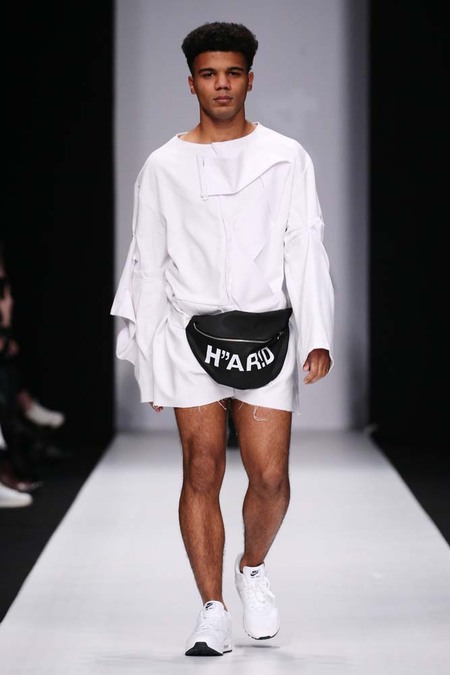
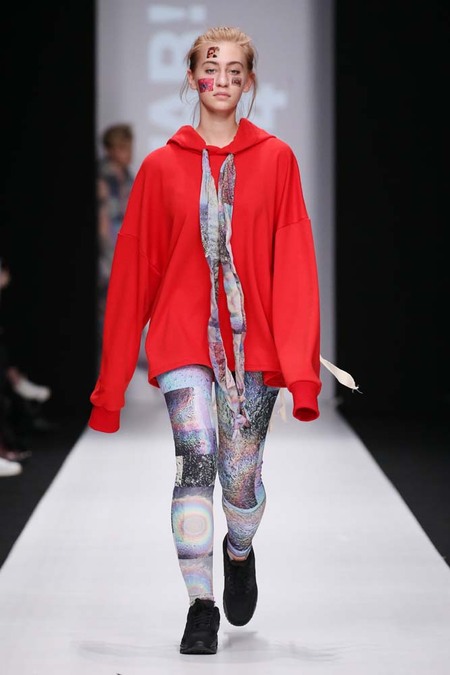
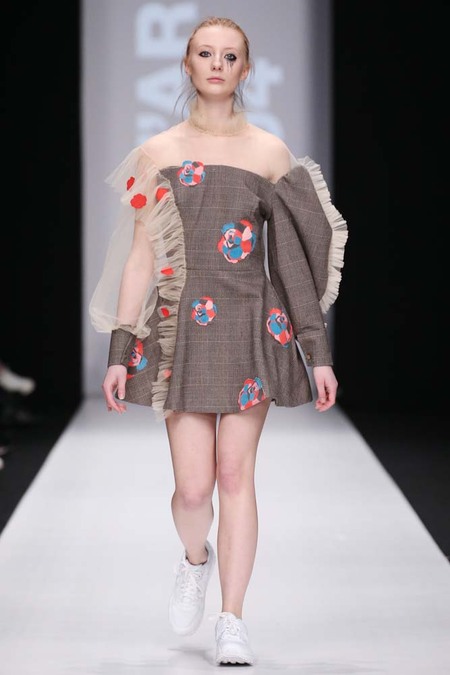
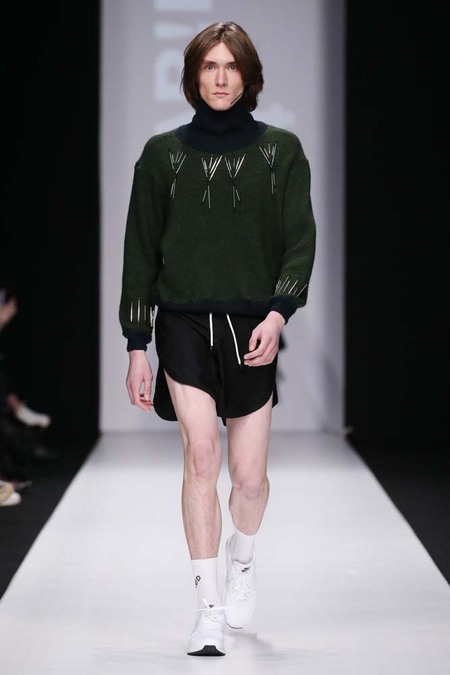
HARD BY HSE ART AND DESIGN SCHOOL — совместный бренд студентов направления «Мода» Школы дизайна НИУ ВШЭ. HARD работает как творческая лаборатория, которая каждый год формируется заново для создания новой коллекции.
Исследуя культурные контексты и экспериментируя с формами и кроем, молодые дизайнеры говорят о том, что их вдохновляет и волнует, показывают свое видение актуальной моды. Итогом является показ, который делают участники лаборатории. Показы HARD BY HSE ART AND DESIGN SCHOOL проходят в рамках недель моды, на фестивалях и городских площадках.
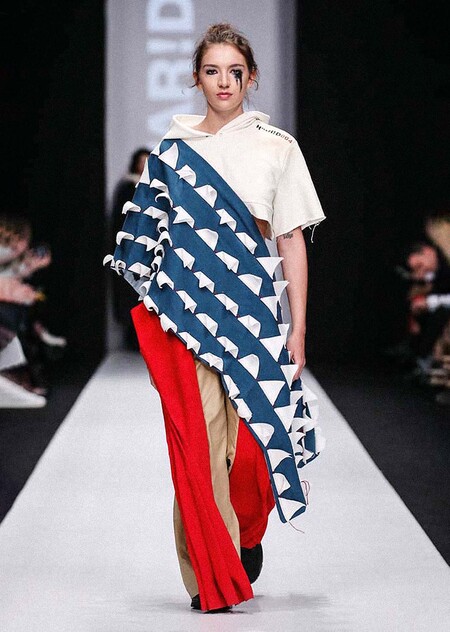
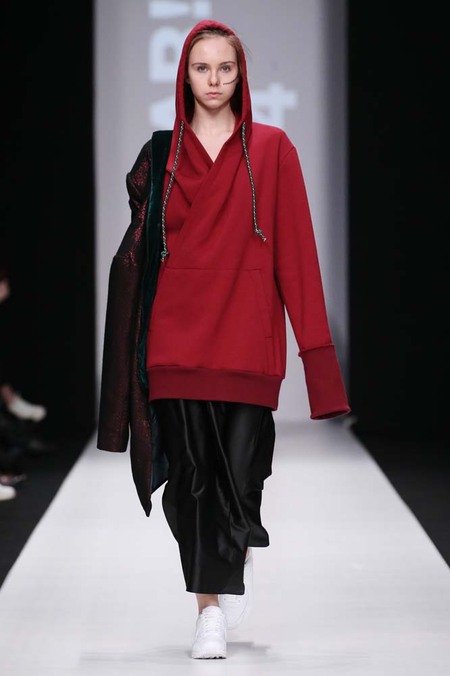
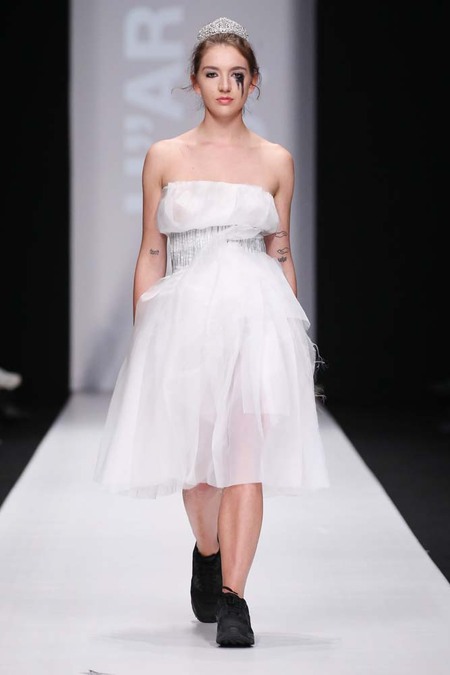
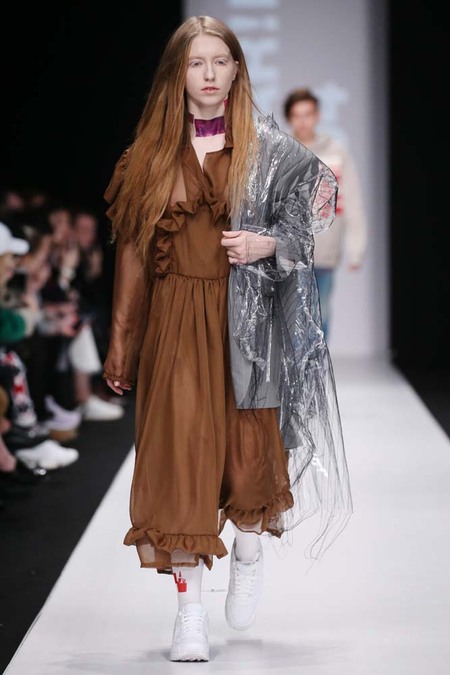
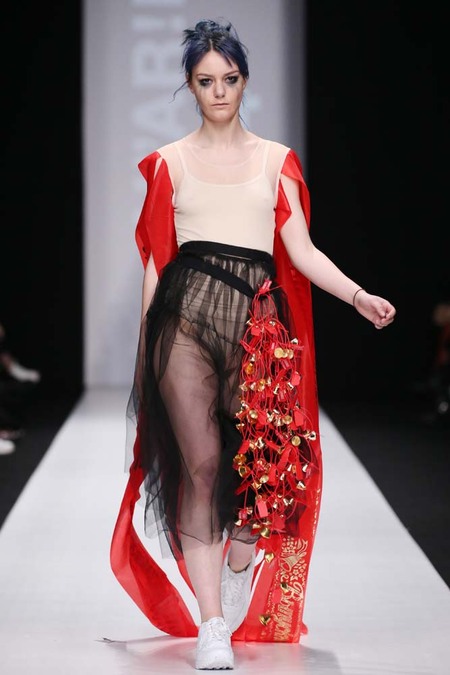
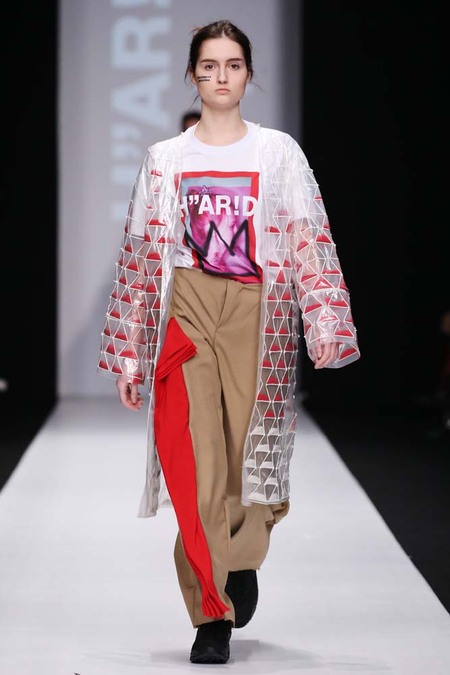
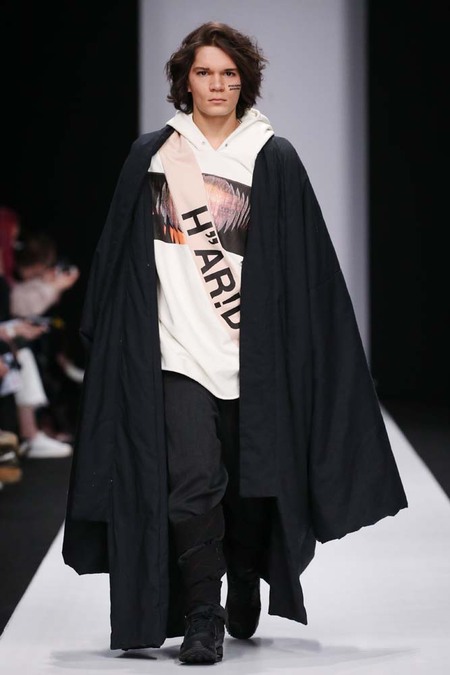
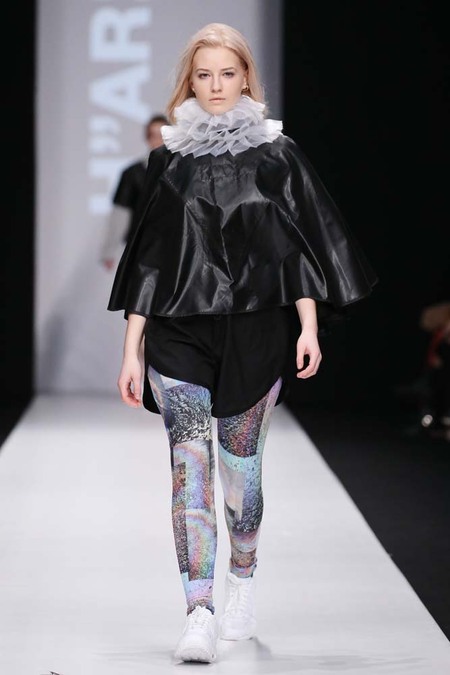
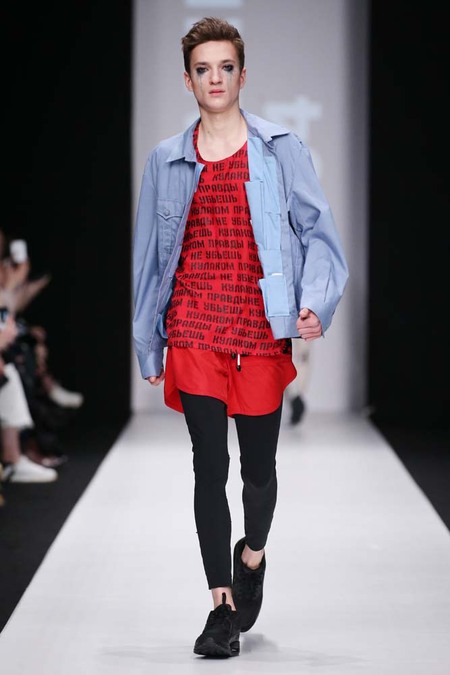
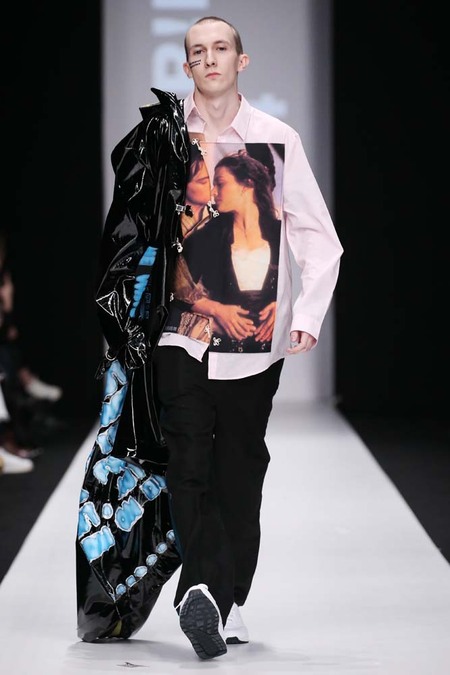
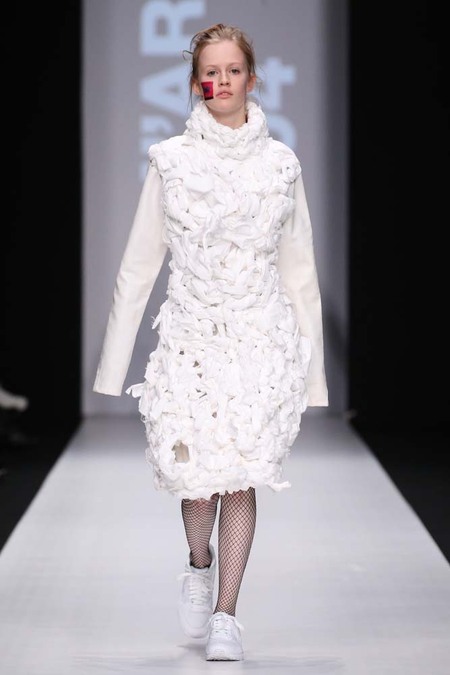
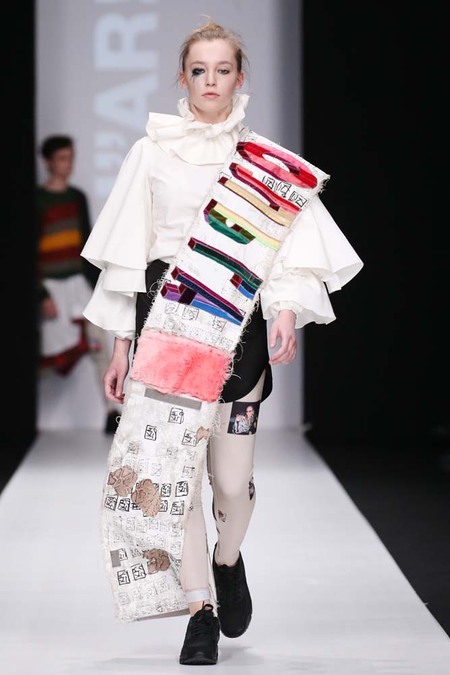
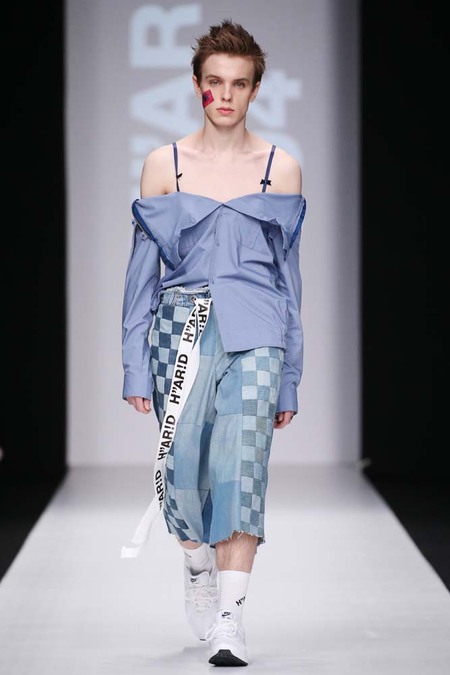
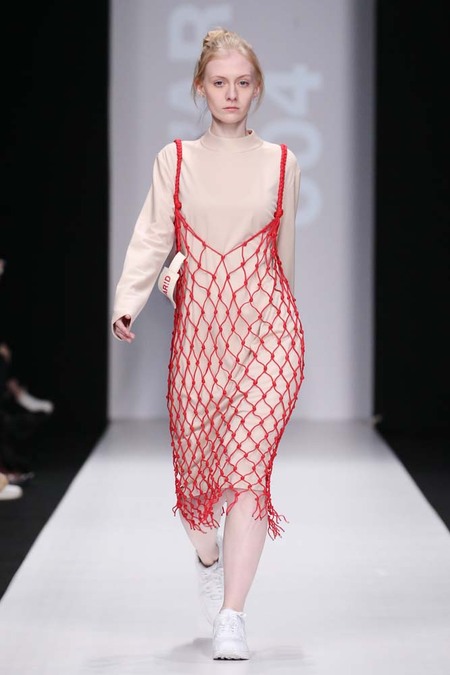
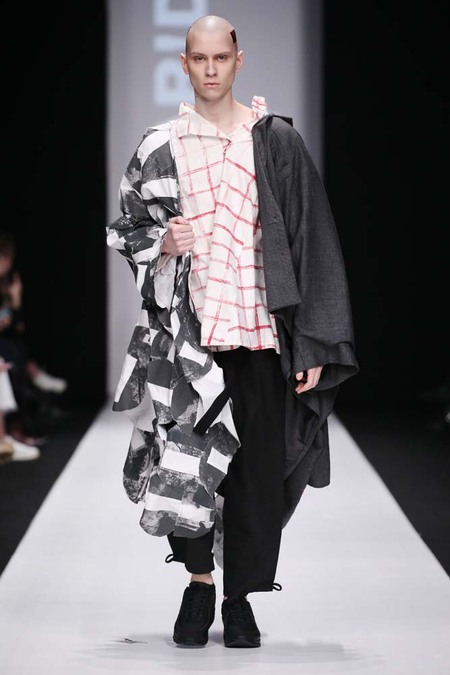
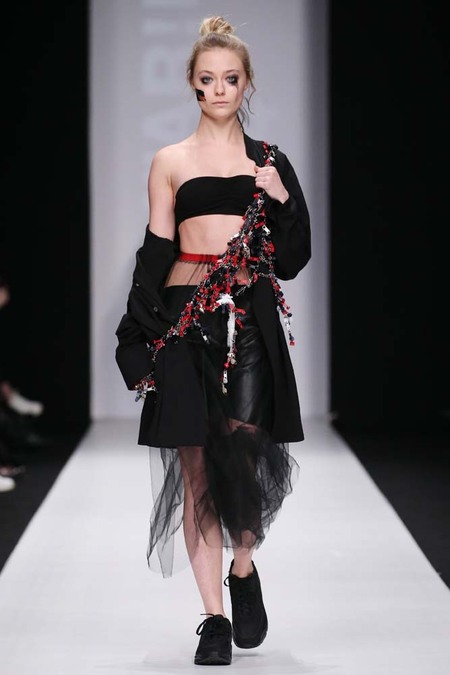
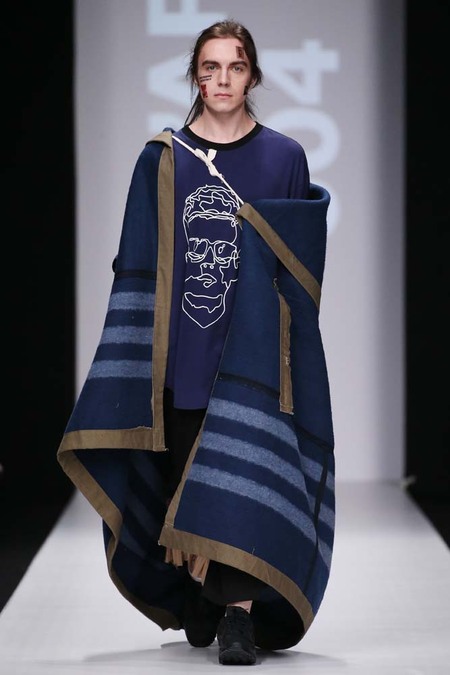
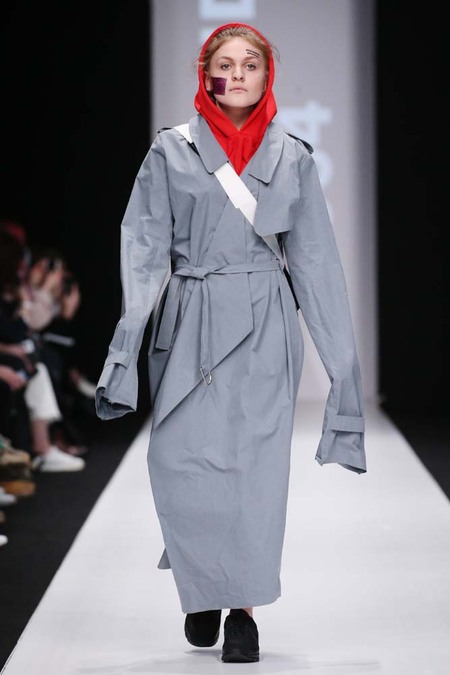
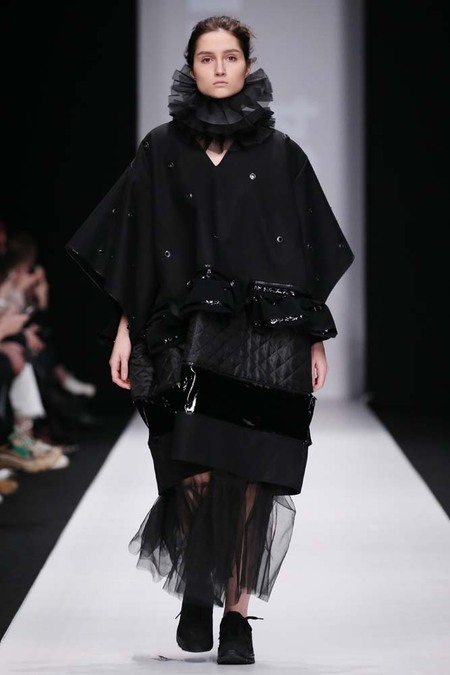
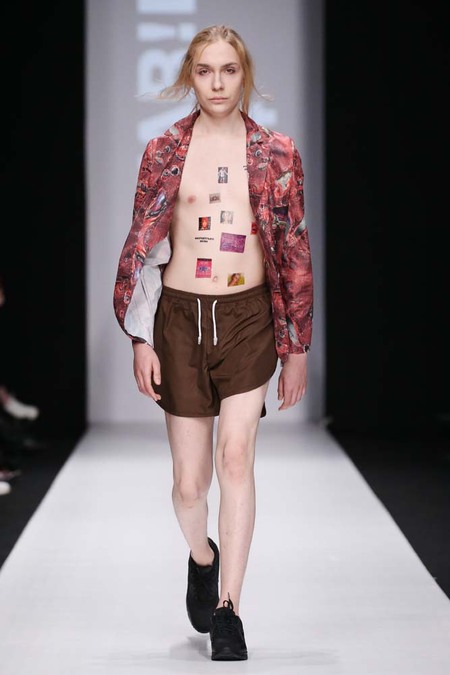
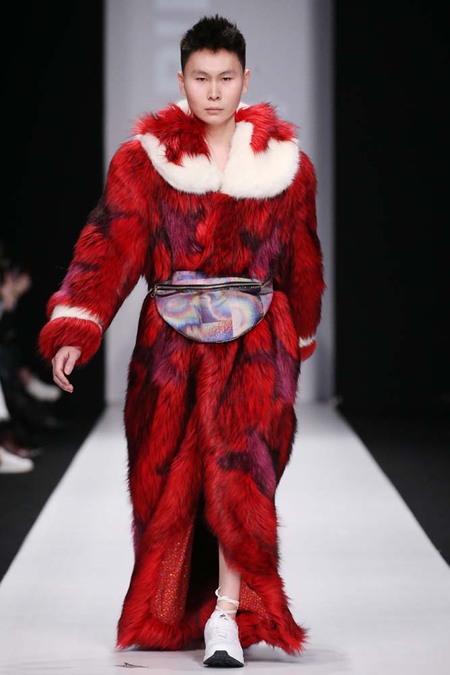
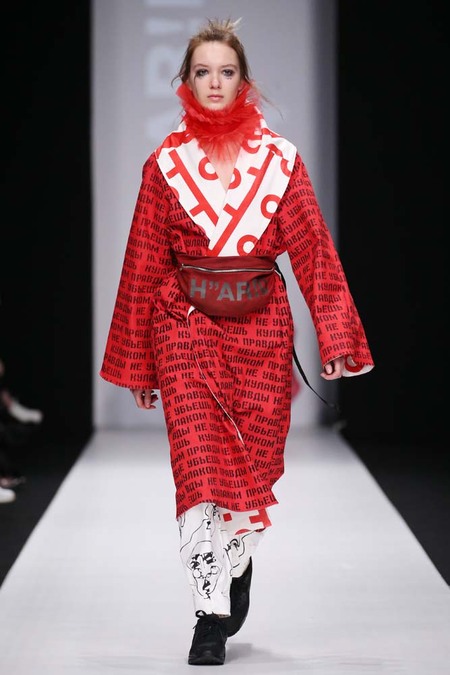
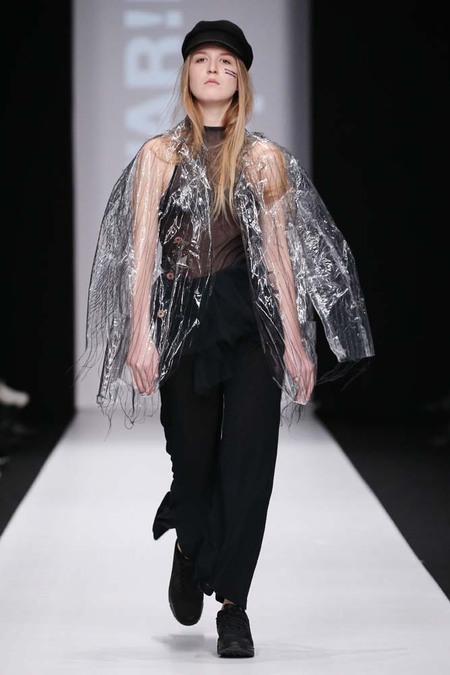
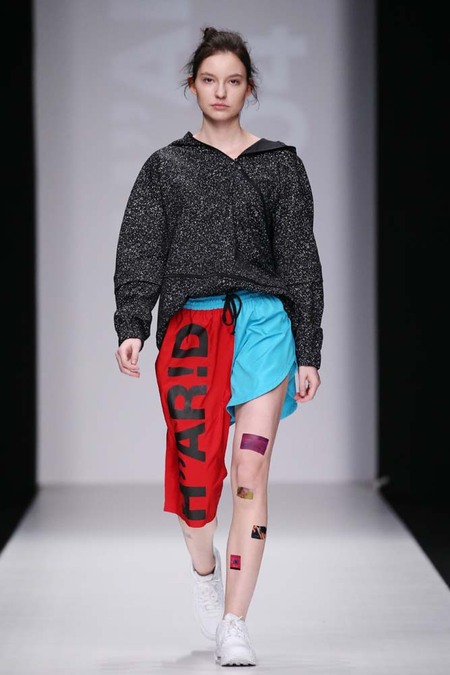
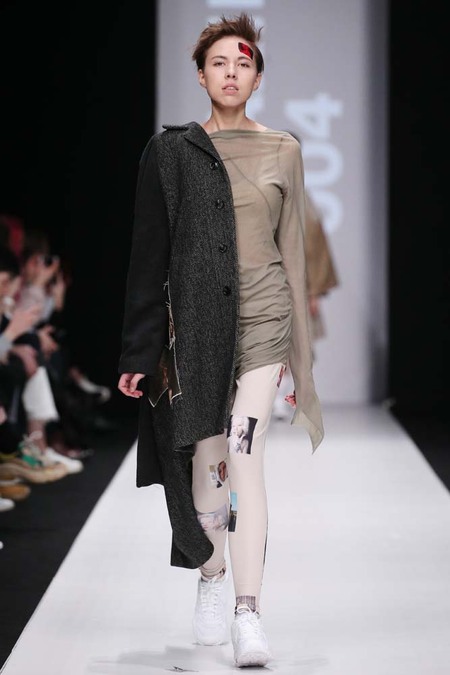
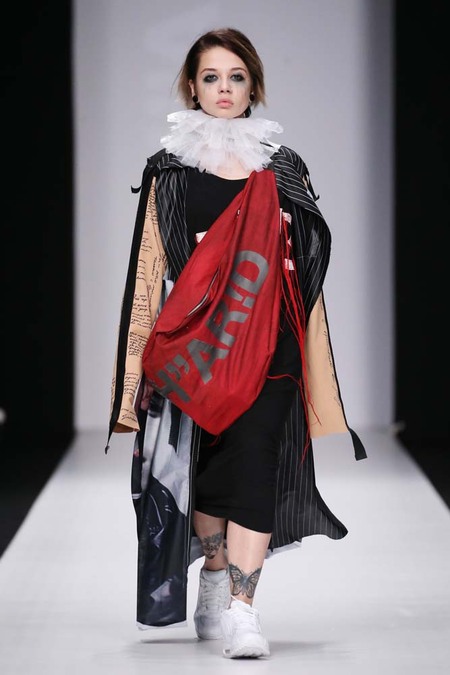
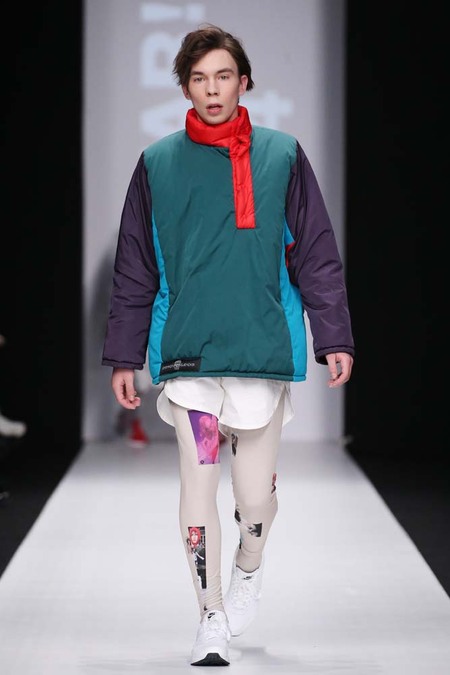
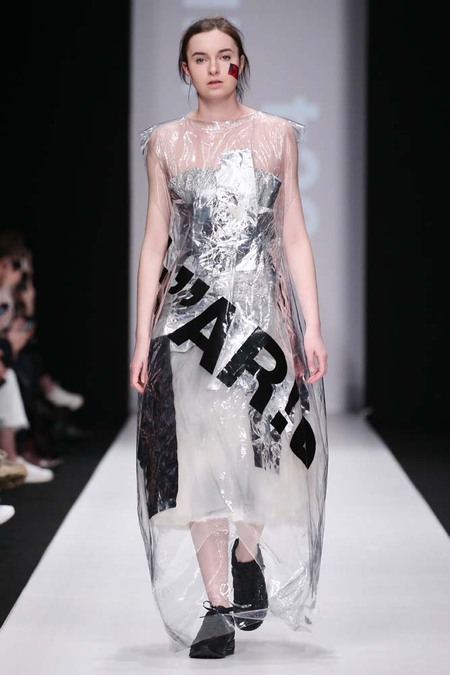
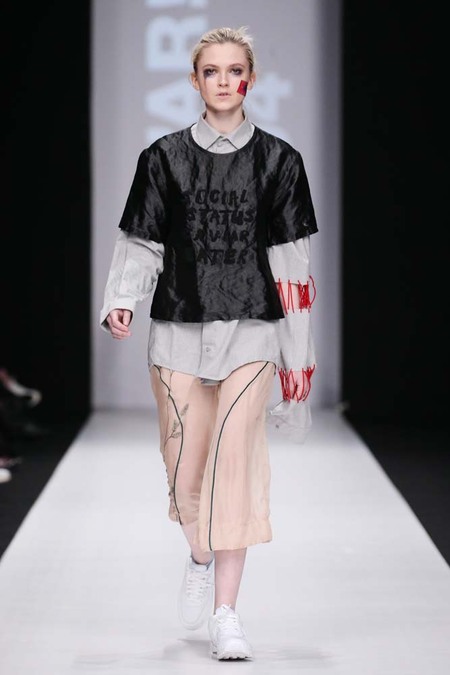
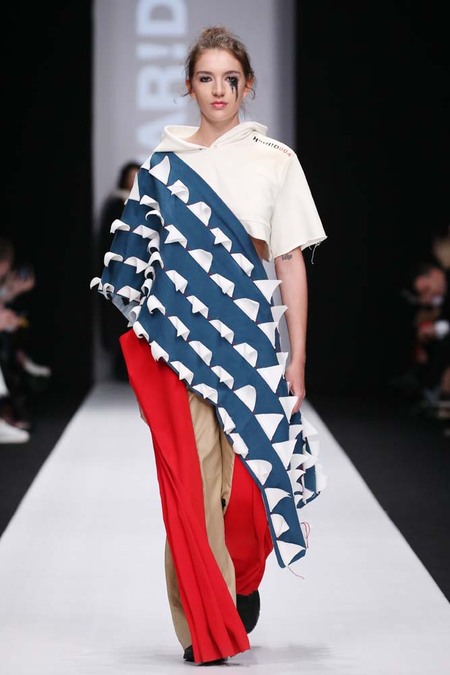
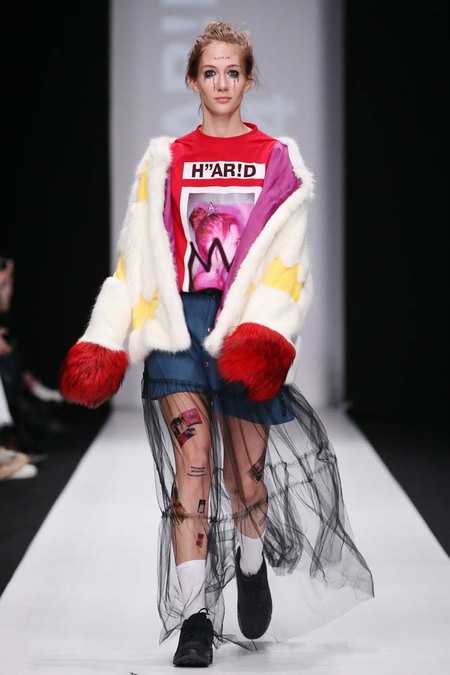
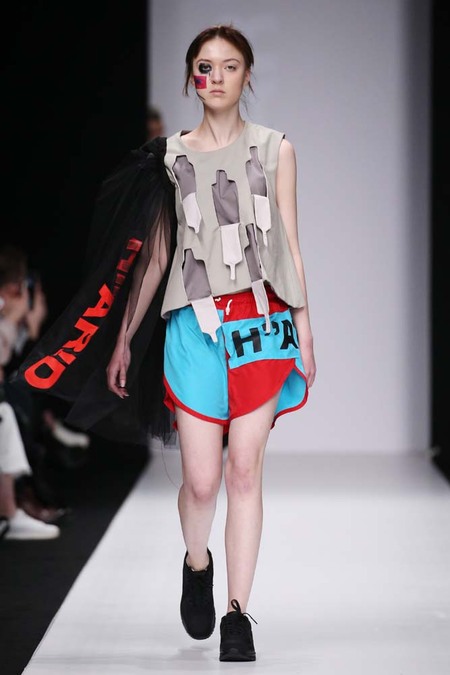
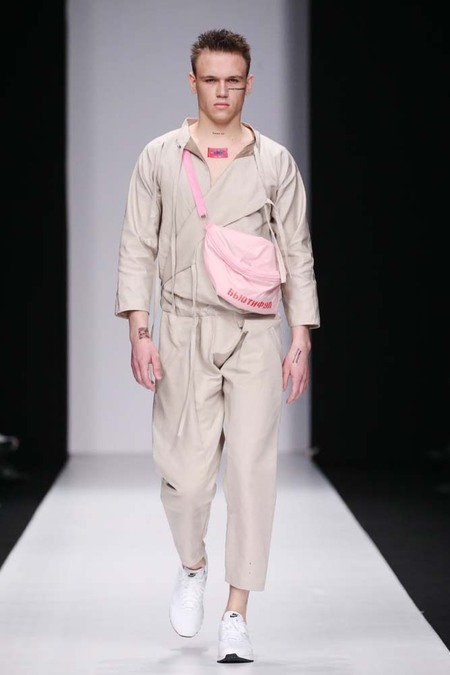
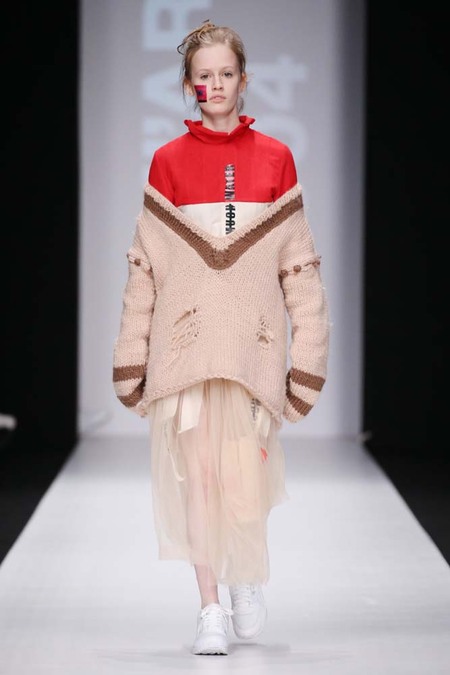
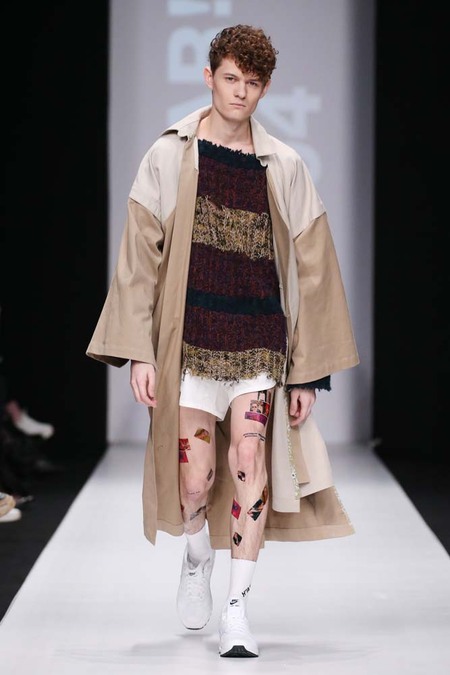
Коллекция HARD 004 представляет работы студентов тертьего курса профиля «Дизайн одежды». В этом году студенты работали под лозунгом «Навсегда юность», исследуя тему «духа юности» средствами фэшн-дизайна. Молодые дизайнеры показали яркую смесь из уличной моды, исторических аллюзий и иронии: от деконструированных оверсайз-пальто и голландских кружевных воротников до объемных худи и брючного костюма с иронически обыгранной лентой выпускника.
HARD 004: Навсегда юность. Mercedes-Benz Fashion Week Russia. 14 марта 2018
HSE Fashion представила коллекцию HARD 004, созданную студентами Школы дизайна НИУ ВШЭ для Mercedes-Benz Fashion Week Russia 14 марта 2018 года. Проект включал исследования темы «духа юности» через смесь уличной моды, исторических элементов и ироничных деталей в дизайне.
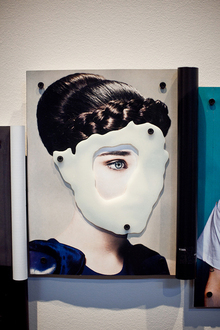
Hse Fashion Archive подготовил подборку выставок с участием российских дизайнеров, которые предлагают нестандартный подход к презентации моды через арт и исследования. Особенностью проекта является акцент на ретроспективных и экспериментальных форматах, таких как выставка «Dysfashional», где вместо традиционных показов использовались художественные инсталляции.
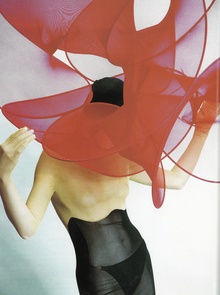
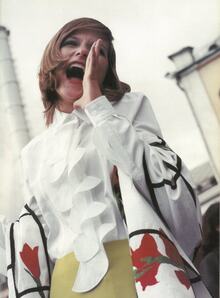
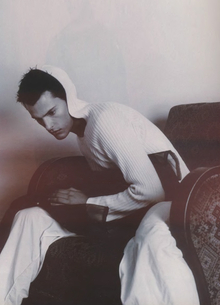
Hse Fashion Archive представил материалы журнала Jalouse, посвящённые российским дизайнерам и моде 2000-х годов. Проект включает снимки, интервью и аналитические статьи, отражающие культурные и творческие особенности эпохи.
Hse Fashion Archive исследует роль российской моды в журнале Vogue с 1998 года, анализируя его влияние на индустрию и культуру. Проект подтверждает, что российская версия Vogue регулярно освещала местную моду, включая интервью с дизайнерами и события недель моды.
Интервью с Анзором Канкуловым рассказывает о его карьере в российском медиа и моде с 1990-х годов. Проект включает детали о ранних номерах журнала «ОМ» и эволюции медиа-рынка в России.
We use cookies to improve the operation of the website and to enhance its usability. More detailed information on the use of cookies can be fo...
Show more
Press space bar to start a drag.
When dragging you can use the arrow keys to move the item around and escape to cancel.
Some screen readers may require you to be in focus mode or to use your pass through key
Press space bar to start a drag.
When dragging you can use the arrow keys to move the item around and escape to cancel.
Some screen readers may require you to be in focus mode or to use your pass through key
Press space bar to start a drag.
When dragging you can use the arrow keys to move the item around and escape to cancel.
Some screen readers may require you to be in focus mode or to use your pass through key
Press space bar to start a drag.
When dragging you can use the arrow keys to move the item around and escape to cancel.
Some screen readers may require you to be in focus mode or to use your pass through key
Press space bar to start a drag.
When dragging you can use the arrow keys to move the item around and escape to cancel.
Some screen readers may require you to be in focus mode or to use your pass through key
Press space bar to start a drag.
When dragging you can use the arrow keys to move the item around and escape to cancel.
Some screen readers may require you to be in focus mode or to use your pass through key
Press space bar to start a drag.
When dragging you can use the arrow keys to move the item around and escape to cancel.
Some screen readers may require you to be in focus mode or to use your pass through key
Press space bar to start a drag.
When dragging you can use the arrow keys to move the item around and escape to cancel.
Some screen readers may require you to be in focus mode or to use your pass through key
Press space bar to start a drag.
When dragging you can use the arrow keys to move the item around and escape to cancel.
Some screen readers may require you to be in focus mode or to use your pass through key
Press space bar to start a drag.
When dragging you can use the arrow keys to move the item around and escape to cancel.
Some screen readers may require you to be in focus mode or to use your pass through key
Press space bar to start a drag.
When dragging you can use the arrow keys to move the item around and escape to cancel.
Some screen readers may require you to be in focus mode or to use your pass through key
Press space bar to start a drag.
When dragging you can use the arrow keys to move the item around and escape to cancel.
Some screen readers may require you to be in focus mode or to use your pass through key
Press space bar to start a drag.
When dragging you can use the arrow keys to move the item around and escape to cancel.
Some screen readers may require you to be in focus mode or to use your pass through key
Press space bar to start a drag.
When dragging you can use the arrow keys to move the item around and escape to cancel.
Some screen readers may require you to be in focus mode or to use your pass through key
Press space bar to start a drag.
When dragging you can use the arrow keys to move the item around and escape to cancel.
Some screen readers may require you to be in focus mode or to use your pass through key
Press space bar to start a drag.
When dragging you can use the arrow keys to move the item around and escape to cancel.
Some screen readers may require you to be in focus mode or to use your pass through key
Press space bar to start a drag.
When dragging you can use the arrow keys to move the item around and escape to cancel.
Some screen readers may require you to be in focus mode or to use your pass through key
Press space bar to start a drag.
When dragging you can use the arrow keys to move the item around and escape to cancel.
Some screen readers may require you to be in focus mode or to use your pass through key
Press space bar to start a drag.
When dragging you can use the arrow keys to move the item around and escape to cancel.
Some screen readers may require you to be in focus mode or to use your pass through key
Press space bar to start a drag.
When dragging you can use the arrow keys to move the item around and escape to cancel.
Some screen readers may require you to be in focus mode or to use your pass through key
Press space bar to start a drag.
When dragging you can use the arrow keys to move the item around and escape to cancel.
Some screen readers may require you to be in focus mode or to use your pass through key
Press space bar to start a drag.
When dragging you can use the arrow keys to move the item around and escape to cancel.
Some screen readers may require you to be in focus mode or to use your pass through key
Press space bar to start a drag.
When dragging you can use the arrow keys to move the item around and escape to cancel.
Some screen readers may require you to be in focus mode or to use your pass through key
Press space bar to start a drag.
When dragging you can use the arrow keys to move the item around and escape to cancel.
Some screen readers may require you to be in focus mode or to use your pass through key
Press space bar to start a drag.
When dragging you can use the arrow keys to move the item around and escape to cancel.
Some screen readers may require you to be in focus mode or to use your pass through key
Press space bar to start a drag.
When dragging you can use the arrow keys to move the item around and escape to cancel.
Some screen readers may require you to be in focus mode or to use your pass through key
Press space bar to start a drag.
When dragging you can use the arrow keys to move the item around and escape to cancel.
Some screen readers may require you to be in focus mode or to use your pass through key
Press space bar to start a drag.
When dragging you can use the arrow keys to move the item around and escape to cancel.
Some screen readers may require you to be in focus mode or to use your pass through key