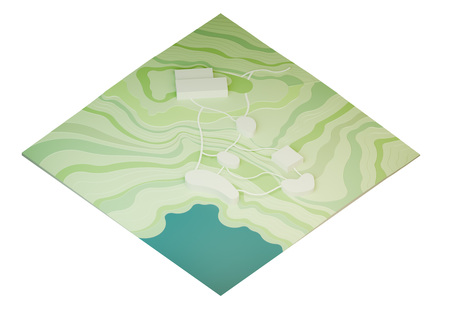
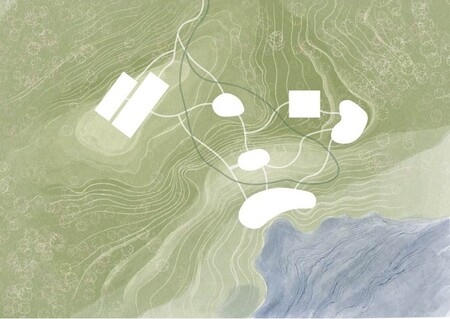
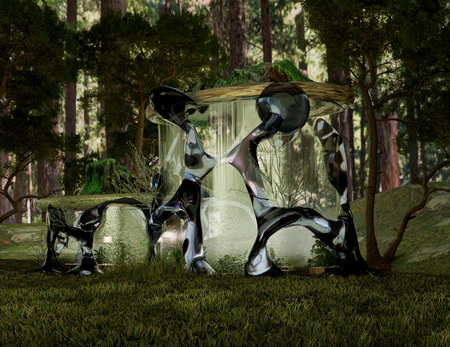
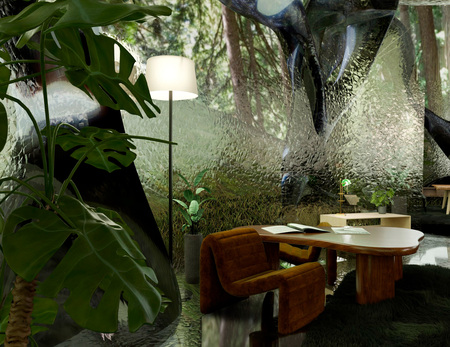
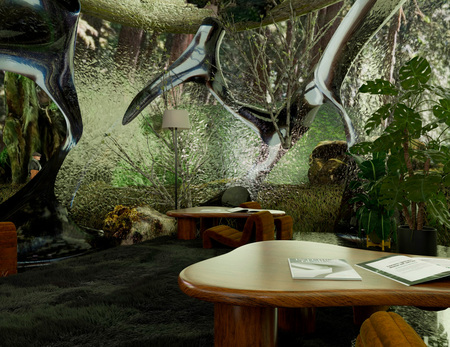
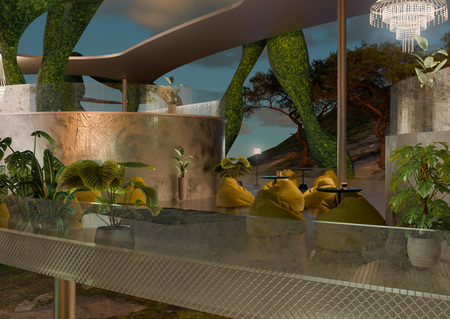
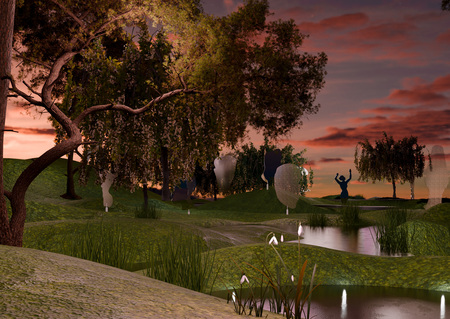
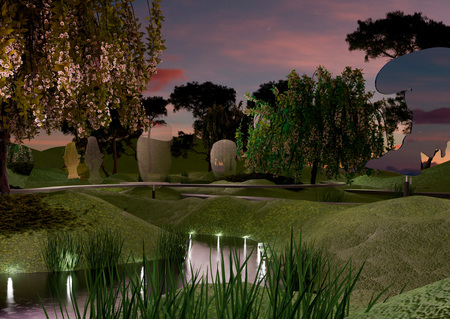
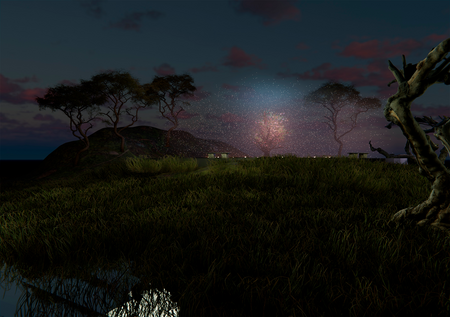
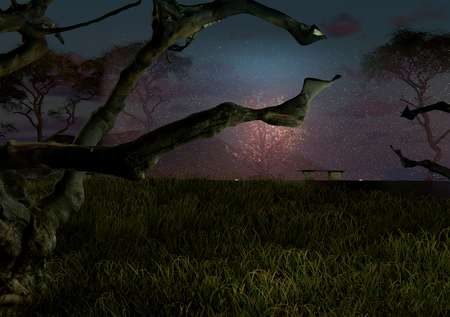
Идея оформления парка состоит в передаче настроения Франсиса Пикабиа. Решение пространства интерпретирует излюбленные принципы художника в написании картин и отсылки на определенные этапы жизни, что можно наблюдать в выборе материалов и форм различных арт-объектов и зданий. Сам парк состоит из различных зон, которые наполнены атмосферой картин художника, в особенности, его периодом прозрачности и импрессионизма.
Кристина Евтушенко создала проект «Прозрачные грезы», представляющий собой концепцию парка, вдохновлённого художником Франсисом Пикабиа. Проект включает в себя арт-объекты и зоны, интерпретирующие период прозрачности и импрессионизма в творчестве художника.
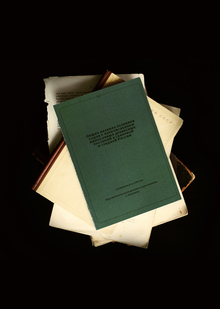
Автор адаптировала книгу Эдуарда Регеля по разбивке садов для современных читателей. Проект включает цифровую версию уникального XIX века труда с комментариями и структурированным текстом.
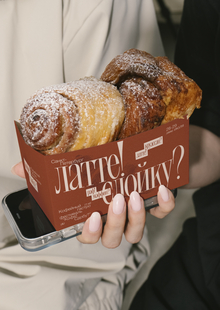
Олег Козлов создал айдентику фестиваля «Кофе!Сдобу?», объединяющего кофе и выпечку в одном пространстве. Проект включает метафору, основанную на диалоге между покупателем и продавцом в кофейне или пекарне.
We use cookies to improve the operation of the website and to enhance its usability. More detailed information on the use of cookies can be fo...
Show more
Press space bar to start a drag.
When dragging you can use the arrow keys to move the item around and escape to cancel.
Some screen readers may require you to be in focus mode or to use your pass through key
Press space bar to start a drag.
When dragging you can use the arrow keys to move the item around and escape to cancel.
Some screen readers may require you to be in focus mode or to use your pass through key
Press space bar to start a drag.
When dragging you can use the arrow keys to move the item around and escape to cancel.
Some screen readers may require you to be in focus mode or to use your pass through key
Press space bar to start a drag.
When dragging you can use the arrow keys to move the item around and escape to cancel.
Some screen readers may require you to be in focus mode or to use your pass through key
Press space bar to start a drag.
When dragging you can use the arrow keys to move the item around and escape to cancel.
Some screen readers may require you to be in focus mode or to use your pass through key
Press space bar to start a drag.
When dragging you can use the arrow keys to move the item around and escape to cancel.
Some screen readers may require you to be in focus mode or to use your pass through key
Press space bar to start a drag.
When dragging you can use the arrow keys to move the item around and escape to cancel.
Some screen readers may require you to be in focus mode or to use your pass through key
Press space bar to start a drag.
When dragging you can use the arrow keys to move the item around and escape to cancel.
Some screen readers may require you to be in focus mode or to use your pass through key
Press space bar to start a drag.
When dragging you can use the arrow keys to move the item around and escape to cancel.
Some screen readers may require you to be in focus mode or to use your pass through key
Press space bar to start a drag.
When dragging you can use the arrow keys to move the item around and escape to cancel.
Some screen readers may require you to be in focus mode or to use your pass through key
Press space bar to start a drag.
When dragging you can use the arrow keys to move the item around and escape to cancel.
Some screen readers may require you to be in focus mode or to use your pass through key
Press space bar to start a drag.
When dragging you can use the arrow keys to move the item around and escape to cancel.
Some screen readers may require you to be in focus mode or to use your pass through key
Press space bar to start a drag.
When dragging you can use the arrow keys to move the item around and escape to cancel.
Some screen readers may require you to be in focus mode or to use your pass through key
Press space bar to start a drag.
When dragging you can use the arrow keys to move the item around and escape to cancel.
Some screen readers may require you to be in focus mode or to use your pass through key
Press space bar to start a drag.
When dragging you can use the arrow keys to move the item around and escape to cancel.
Some screen readers may require you to be in focus mode or to use your pass through key