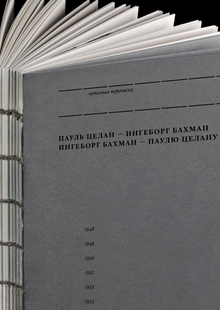
Екатерина Волошина подготовила книгу с неполной перепиской Ингеборг Бахман и Пауля Целана, включая письма, открытки и архивные материалы. Проект включает хронологические вставки, связывающие личные отношения поэтов с историческим и культурным контекстом.
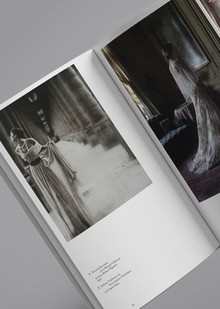
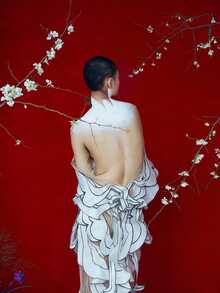
Юлия Беленькая создала каталог «Призраки прекрасного», посвящённый творчеству трёх женщин-фотографов XX–XXI вв.. Проект включает 116 полос и оформлен шрифтом Petersburg в наборе 9/11 pt.
Валентин Ким создал культурно-исторический журнал, посвящённый влиянию гейш на мировую индустрию моды. Проект подробно описывает, как традиционные элементы образа гейш стали источником вдохновения для дизайнеров и фотографов.
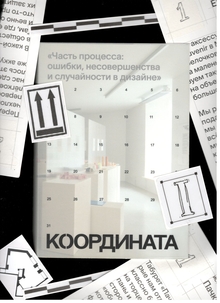
Эвелина Епешина создала книгу-воспоминание о выставке, посвящённой ошибкам в дизайн-проектах. Проект включает в себя каталог, собранный из всех «частей процесса» выставки, проходившей в пространстве «Kоордината».
We use cookies to improve the operation of the website and to enhance its usability. More detailed information on the use of cookies can be fo...
Show more
Press space bar to start a drag.
When dragging you can use the arrow keys to move the item around and escape to cancel.
Some screen readers may require you to be in focus mode or to use your pass through key
Press space bar to start a drag.
When dragging you can use the arrow keys to move the item around and escape to cancel.
Some screen readers may require you to be in focus mode or to use your pass through key
Press space bar to start a drag.
When dragging you can use the arrow keys to move the item around and escape to cancel.
Some screen readers may require you to be in focus mode or to use your pass through key
Press space bar to start a drag.
When dragging you can use the arrow keys to move the item around and escape to cancel.
Some screen readers may require you to be in focus mode or to use your pass through key
Press space bar to start a drag.
When dragging you can use the arrow keys to move the item around and escape to cancel.
Some screen readers may require you to be in focus mode or to use your pass through key
Press space bar to start a drag.
When dragging you can use the arrow keys to move the item around and escape to cancel.
Some screen readers may require you to be in focus mode or to use your pass through key
Press space bar to start a drag.
When dragging you can use the arrow keys to move the item around and escape to cancel.
Some screen readers may require you to be in focus mode or to use your pass through key
Press space bar to start a drag.
When dragging you can use the arrow keys to move the item around and escape to cancel.
Some screen readers may require you to be in focus mode or to use your pass through key
Press space bar to start a drag.
When dragging you can use the arrow keys to move the item around and escape to cancel.
Some screen readers may require you to be in focus mode or to use your pass through key
Press space bar to start a drag.
When dragging you can use the arrow keys to move the item around and escape to cancel.
Some screen readers may require you to be in focus mode or to use your pass through key